🚀 Mastering System Design: The Ultimate Guide for Developers & Architects 🧠
🚀 Mastering System Design: The Ultimate Guide for Developers & Architects 🧠
When we talk about System Design, we’re talking about the art and science of building scalable, reliable, and maintainable systems — the kind that power giants like Netflix, Amazon, and Instagram! 🌐
In this guide, we’ll break down all the major concepts, terminologies, features, and toolkits that every developer should know before they step into high-level architecture interviews or real-world projects. Let’s dive deep! ⚙️
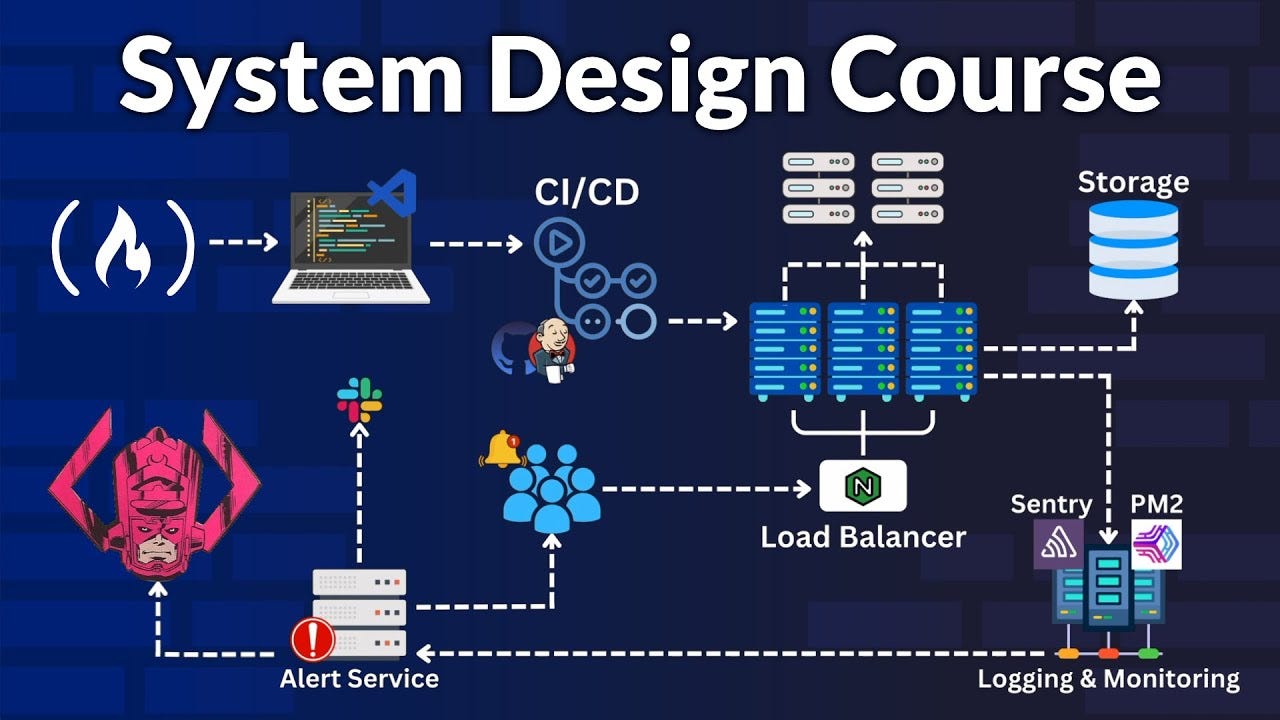
🧩 What is System Design?
System Design is the process of defining the architecture, components, modules, interfaces, and data for a system to meet specific requirements.
It’s how we transform an idea — say, “Build a social media app like Instagram” — into a well-structured blueprint that’s scalable, fault-tolerant, and efficient. 💡
🏗️ Core Concepts of System Design
1️⃣ Scalability
Scalability means your system can handle growth — whether that’s in users, data, or traffic.
- Vertical Scaling (Scale Up): Add more power (CPU/RAM) to your existing server. 🖥️
- Horizontal Scaling (Scale Out): Add more servers to distribute the load. 🧱
👉 Example:
If your app starts lagging with 10k users, adding multiple servers with a Load Balancer (like Nginx or AWS ELB) can distribute requests and boost performance.
2️⃣ Load Balancing ⚖️
Distributes network or application traffic across multiple servers to ensure no single server is overwhelmed.
🧰 Tools:
- Nginx
- HAProxy
- AWS Elastic Load Balancer (ELB)
💡 Example: When thousands of users hit your e-commerce website during a sale, load balancing ensures every request gets processed smoothly.
3️⃣ Caching ⚡
Caching is all about storing frequently accessed data in memory to reduce database load and response time.
🧰 Tools:
- Redis 🟥
- Memcached
📘 Example: Instead of fetching user details from a database every time, store it in Redis and fetch it in milliseconds.
4️⃣ Database Design 🗃️
Choosing between SQL and NoSQL is a critical decision in system design.

🧩 Tip: Use SQL for financial systems and NoSQL for social media or analytics data.
5️⃣ Microservices Architecture 🧱
Breaks a large system into independent, loosely coupled services that communicate via APIs.
🧰 Tools:
- Docker 🐳
- Kubernetes ☸️
- gRPC / REST APIs
📘 Example:
Netflix runs over 1000+ microservices for handling user profiles, recommendations, and video streaming separately!
6️⃣ Message Queues 📨
Used to handle asynchronous communication between services — especially when handling massive user activity.
🧰 Tools:
- RabbitMQ 🐇
- Apache Kafka ⚙️
- Amazon SQS
📘 Example:
When a user uploads a photo, the upload request is queued and processed in the background — preventing app crashes.
7️⃣ CDN (Content Delivery Network) 🌎
CDNs store copies of your content across multiple locations worldwide to reduce latency.
🧰 Tools:
- Cloudflare
- Akamai
- AWS CloudFront
📘 Example:
When a user in India opens your US-hosted website, CDN ensures images and videos load from the nearest server — lightning fast! ⚡
8️⃣ API Design 🔗
APIs act as the communication bridge between services.
🧰 Types:
- REST (Representational State Transfer)
- GraphQL (Flexible querying)
- gRPC (High performance binary communication)
💡 Example:
Use GraphQL for apps like Instagram where clients need dynamic data (posts + comments + likes in one query).
9️⃣ Consistency, Availability & Partition Tolerance (CAP Theorem) ⚖️
You can only have two of the three in any distributed system:
- C (Consistency): Every read gets the latest write.
- A (Availability): Every request gets a response, even if not the latest.
- P (Partition Tolerance): System works even if network partitions occur.
📘 Example:
- CP Systems: Banking apps (Consistency + Partition tolerance)
- AP Systems: Social media feeds (Availability + Partition tolerance)
🔟 Security & Authentication 🛡️
Protecting your system from attacks is non-negotiable.
🧰 Techniques & Tools:
- HTTPS, JWT Tokens 🔑
- OAuth 2.0
- Rate limiting
- Firewalls (WAF)
📘 Example:
When you log into Gmail, OAuth 2.0 ensures your credentials are verified securely before granting access.
⚙️ System Design Toolkit for Developers

🧠 Example: Designing a Scalable Social Media App
Let’s apply what we’ve learned 👇
Step-by-Step Architecture:
- Client (Mobile/Web) → sends a request.
- API Gateway routes it to relevant microservices.
- User Service, Post Service, Notification Service work independently.
- Database Layer: SQL for user data, NoSQL for posts.
- Cache Layer: Redis for hot data.
- Message Queue: Kafka for async tasks (like sending notifications).
- CDN: To deliver media fast globally.
- Monitoring: Grafana tracks performance and errors.
🎯 Result → A highly scalable, resilient, and fast system.
💡 Pro Tips for System Design Interviews
- Always clarify requirements first.
- Design for scalability and failure handling.
- Use diagrams to explain clearly.
- Highlight trade-offs — no perfect design exists!
✨ Conclusion
System Design is not about memorizing buzzwords — it’s about thinking like an architect. 🧱
It teaches you how to balance trade-offs, scale gracefully, and deliver seamless user experiences even under heavy load.
So whether you’re building your next SaaS platform or preparing for that FAANG interview — understanding System Design is your golden ticket! 🎟️


Comments
Post a Comment