🚀 AWS Lambda Deep Dive: The Ultimate Guide to Serverless Power ⚡
🚀 AWS Lambda Deep Dive: The Ultimate Guide to Serverless Power ⚡
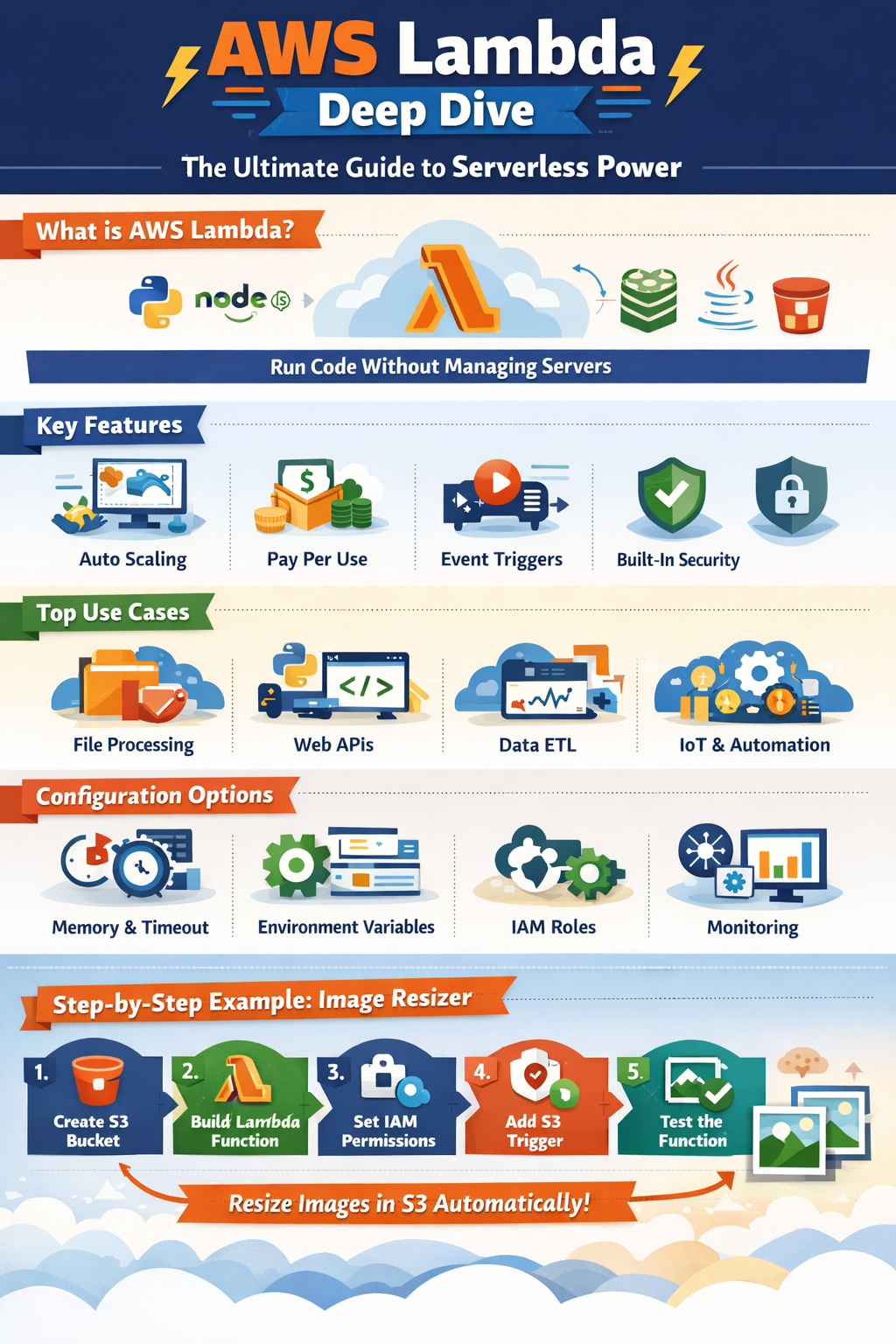
Amazon Web Services AWS Lambda is one of the most powerful serverless computing services that allows developers to run code without managing servers. You only focus on writing code — AWS handles scaling, infrastructure, and maintenance.
In this in-depth guide, we’ll explore:
✅ Features
✅ Configuration options
✅ Architecture & working
✅ Best use cases
✅ Step-by-step real example
✅ Optimization tips
Let’s dive in! 👇
🌩️ What is AWS Lambda?
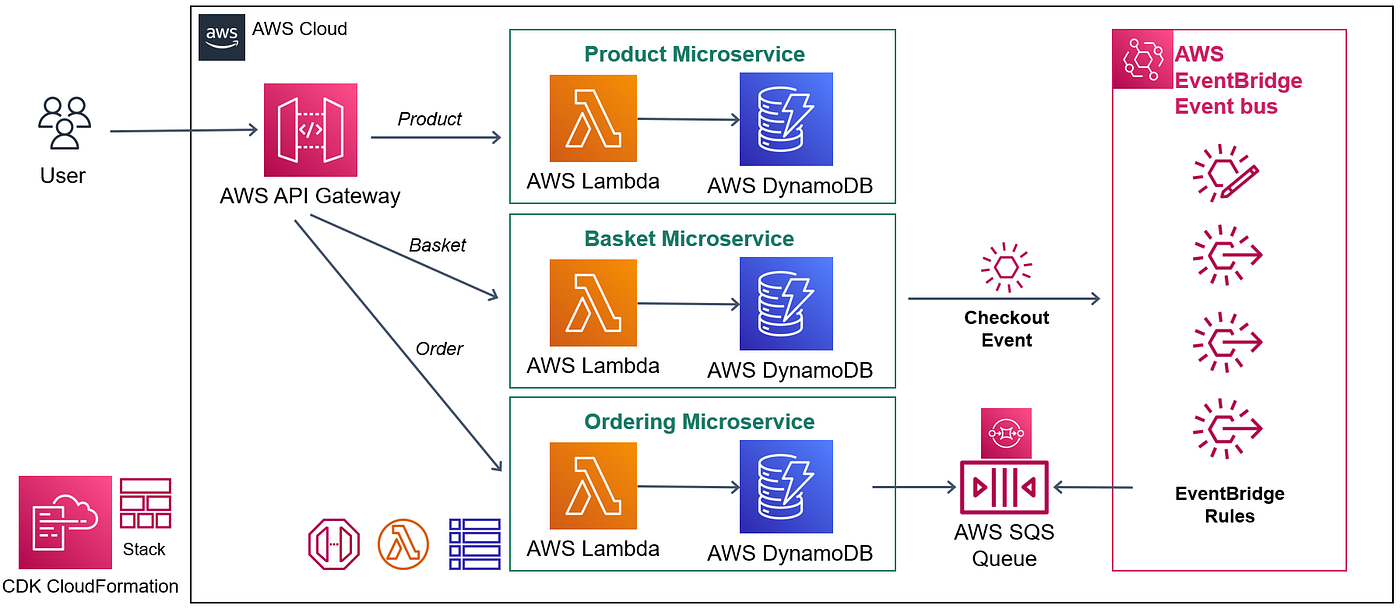

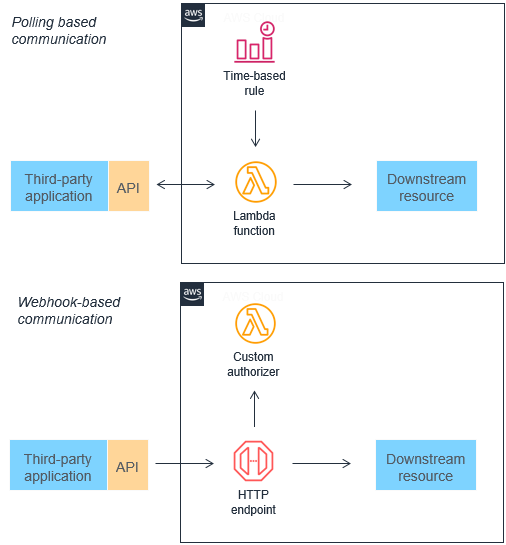

AWS Lambda is a serverless compute service that runs your code in response to events and automatically manages computing resources.
👉 You upload your function
👉 Trigger it using events (HTTP, file upload, database changes, etc.)
👉 Pay only for execution time
It supports multiple languages:
- Python 🐍
- Node.js 🟢
- Java ☕
- Go 🐹
- Ruby 💎
- .NET 🔷
🔥 Core Features of AWS Lambda

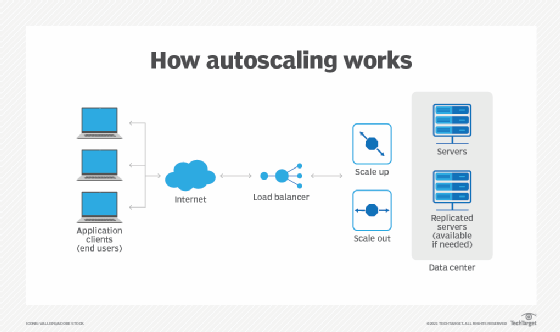
⚡ 1. Automatic Scaling
Lambda automatically scales from 1 request to thousands instantly.
💰 2. Pay-Per-Use Pricing
You pay only for:
- Number of requests
- Execution duration
- Memory usage
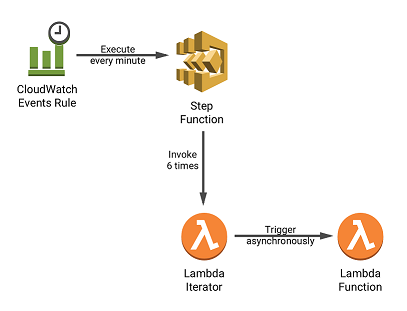
🔄 3. Event-Driven Execution
Lambda triggers from services like:
- Amazon S3 uploads
- Amazon API Gateway HTTP calls
- Amazon DynamoDB updates
- CloudWatch schedules
🔒 4. Built-in Security
Integrated with IAM roles and permissions.
📦 5. Deployment Packages
You can deploy:
- ZIP packages
- Container images (up to 10GB)
⚙️ AWS Lambda Configuration Options

🧠 Memory Allocation
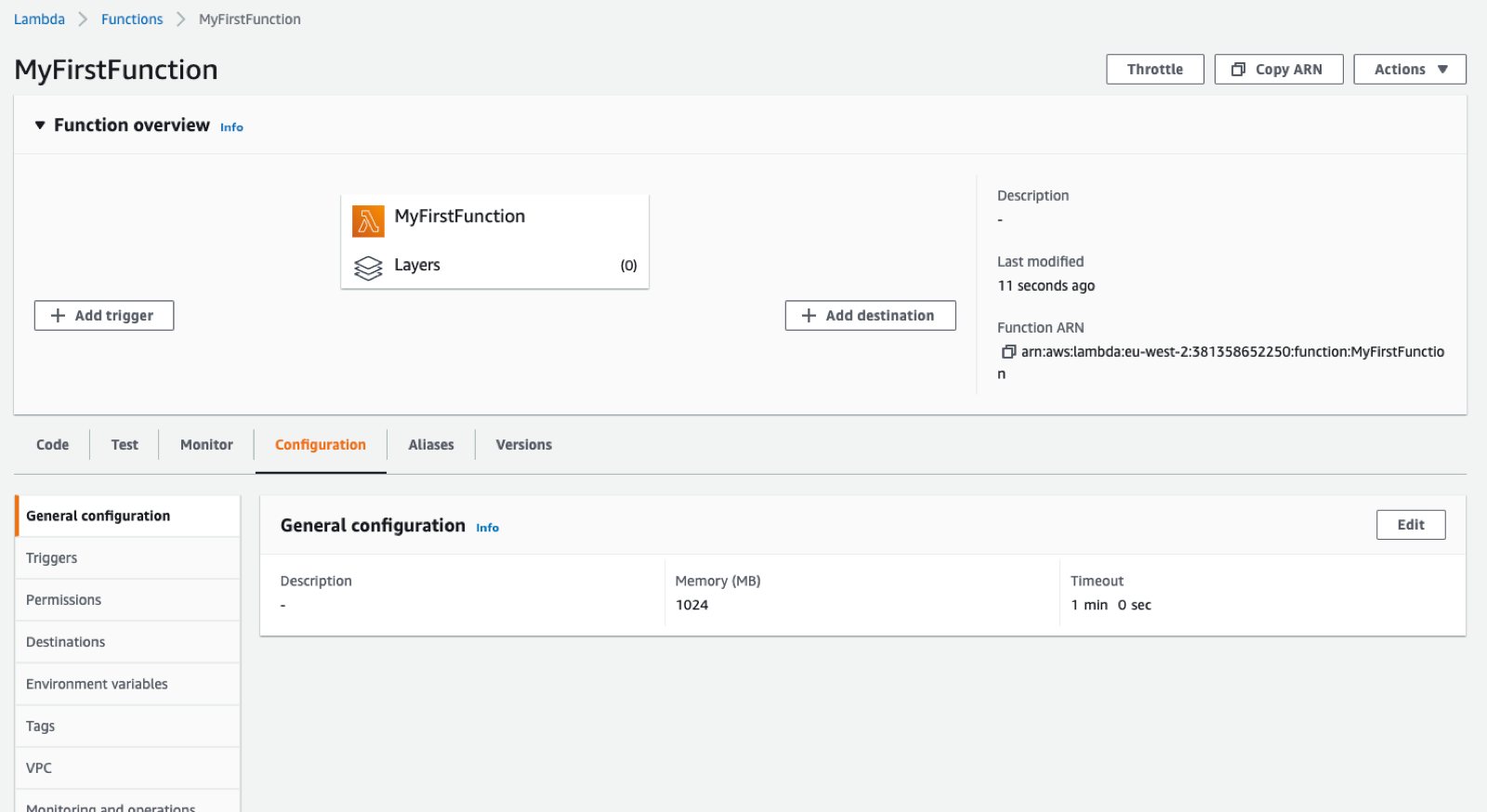
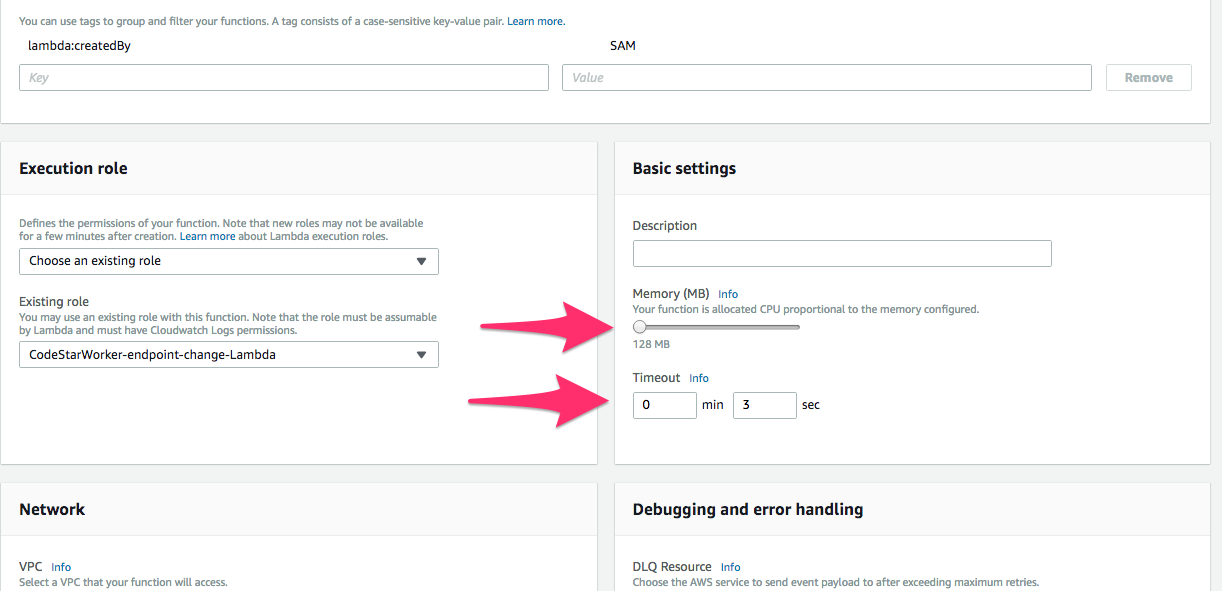
128 MB → 10 GB
More memory = faster execution
⏱️ Timeout
Maximum execution time: 15 minutes
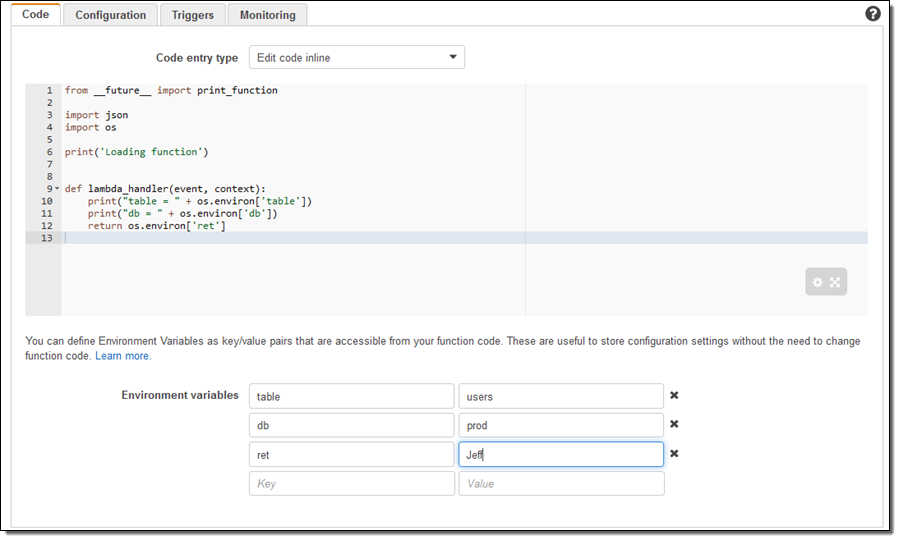
🌍 Environment Variables
Store secrets & config securely.
🔐 IAM Roles
Control permissions for accessing AWS services.
🔁 Concurrency Settings
- Reserved concurrency
- Provisioned concurrency (reduce cold starts)
📊 Monitoring
- CloudWatch logs
- X-Ray tracing
- Metrics dashboard
🧩 AWS Lambda Architecture & Workflow
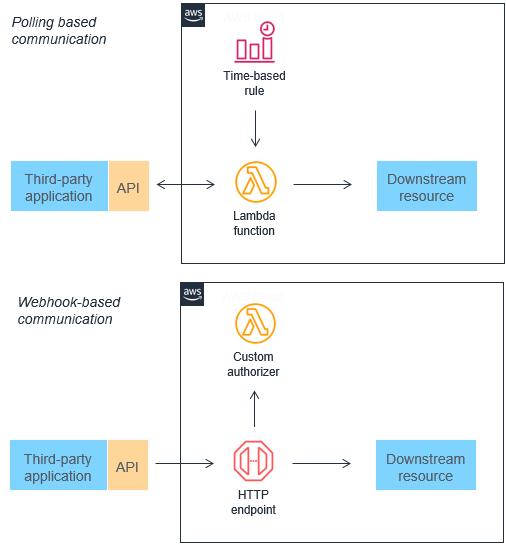
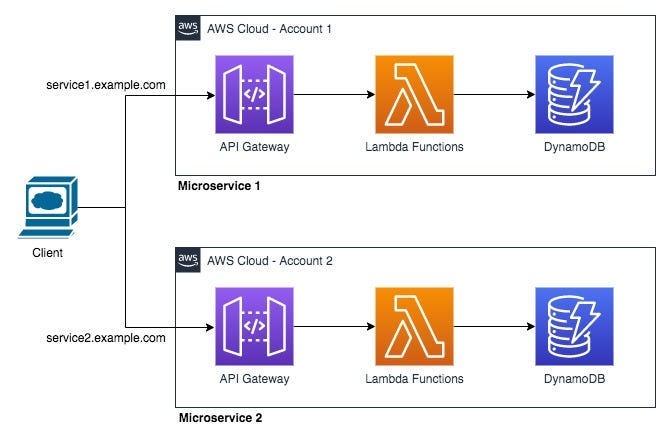
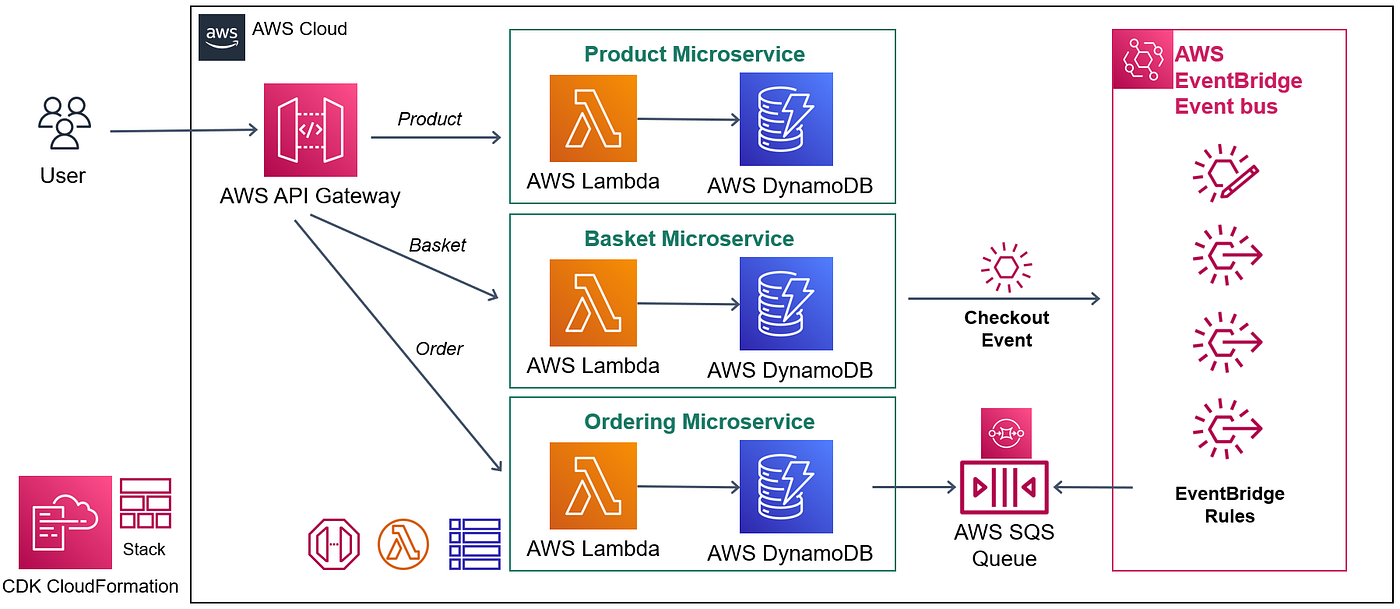
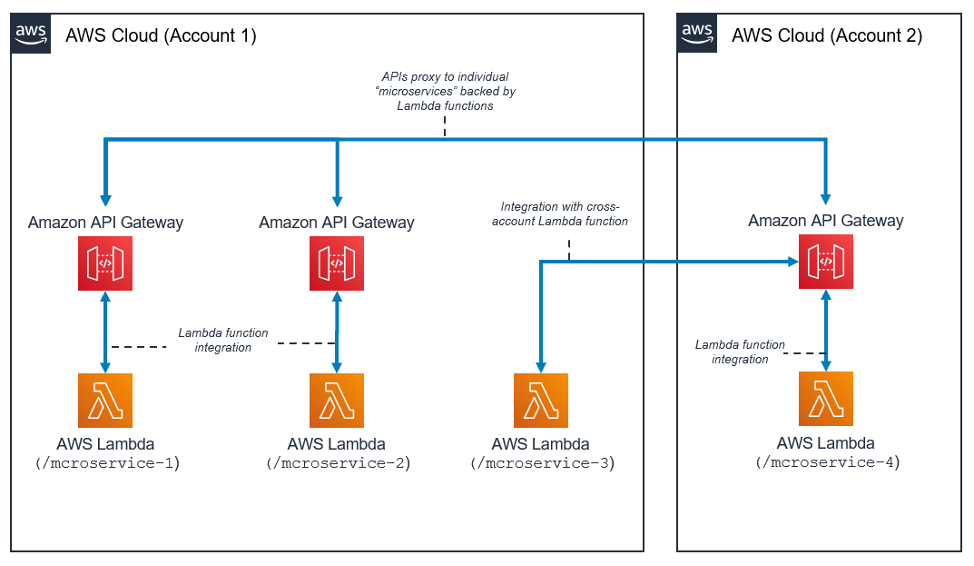
Workflow:
- Event triggers Lambda
- AWS spins up execution environment
- Function runs code
- Response is returned
- Environment reused if possible
This enables microservices and event-driven architectures.
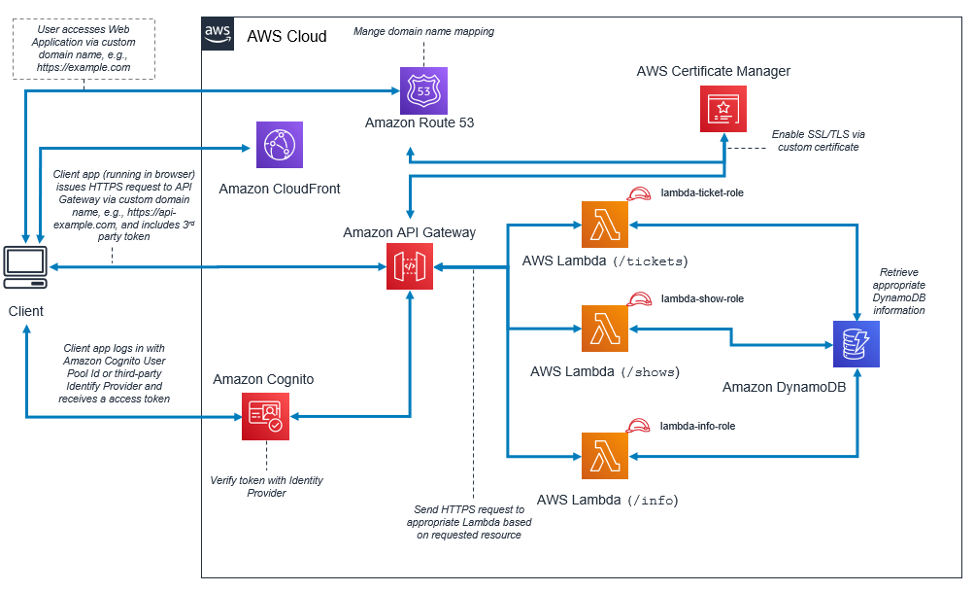
🎯 Best Use Cases for AWS Lambda
📁 File Processing
Auto resize images after upload to S3
🌐 Web APIs
Build scalable REST APIs with API Gateway
🔄 Data Transformation (ETL)
Process streaming data in real time
🤖 Automation & DevOps
Scheduled backups & monitoring scripts
📡 IoT Processing
Handle millions of device events
🛠️ Step-by-Step Example: Image Resizer with AWS Lambda
🎯 Goal:
Resize images automatically when uploaded to S3.
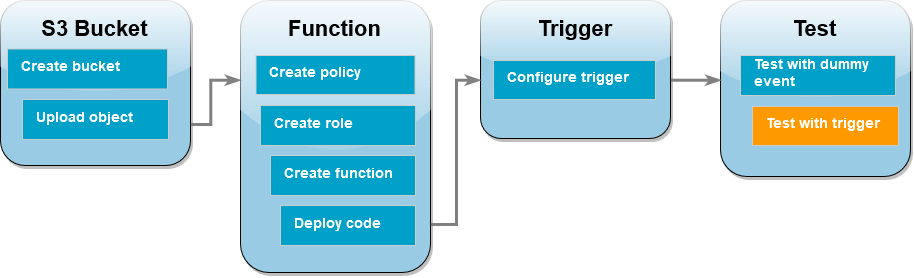
✅ Step 1: Create S3 Bucket
- Create bucket:
image-upload-bucket - Enable event trigger for object upload
✅ Step 2: Create Lambda Function
Choose runtime: Python 3.x
Example code:
import json
import boto3
from PIL import Image
import io

s3 = boto3.client('s3')

def lambda_handler(event, context):
    bucket = event['Records'][0]['s3']['bucket']['name']
    key = event['Records'][0]['s3']['object']['key']
    response = s3.get_object(Bucket=bucket, Key=key)
    image = Image.open(io.BytesIO(response['Body'].read()))
    image.thumbnail((200, 200))
    buffer = io.BytesIO()
    image.save(buffer, 'JPEG')

    s3.put_object(
        Bucket=bucket,
        Key=f"resized-{key}",
        Body=buffer.getvalue()
    )
    return {"status": "success"}
✅ Step 3: Set IAM Permissions
Allow access to S3:
- Read from upload bucket
- Write resized images
✅ Step 4: Configure Trigger
Link S3 upload event → Lambda function
✅ Step 5: Test
Upload an image → Lambda resizes automatically 🎉
🚀 Optimization & Best Practices
⚡ Reduce Cold Starts
- Use provisioned concurrency
- Keep functions lightweight
📦 Minimize Deployment Size
- Remove unused dependencies
- Use layers
🔁 Reuse Connections
Initialize DB connections outside handler
🧠 Choose Right Memory
More memory = faster execution
🔍 Monitor Performance
Use CloudWatch insights
⚠️ Limitations to Remember
- Max execution: 15 minutes
- Stateless environment
- Cold start latency
- Package size limits
🏁 Final Thoughts
AWS Lambda is a game-changer for modern cloud applications. It enables:
✅ Serverless scalability
✅ Cost efficiency
✅ Rapid development
✅ Event-driven architecture
Whether you’re building APIs, automation pipelines, or real-time data systems — Lambda is a must-learn tool in cloud computing. ☁️⚡


Comments
Post a Comment