🚀 CI/CD Pipelines Demystified: How Modern Software Ships at Lightning Speed
🚀 CI/CD Pipelines Demystified: How Modern Software Ships at Lightning Speed
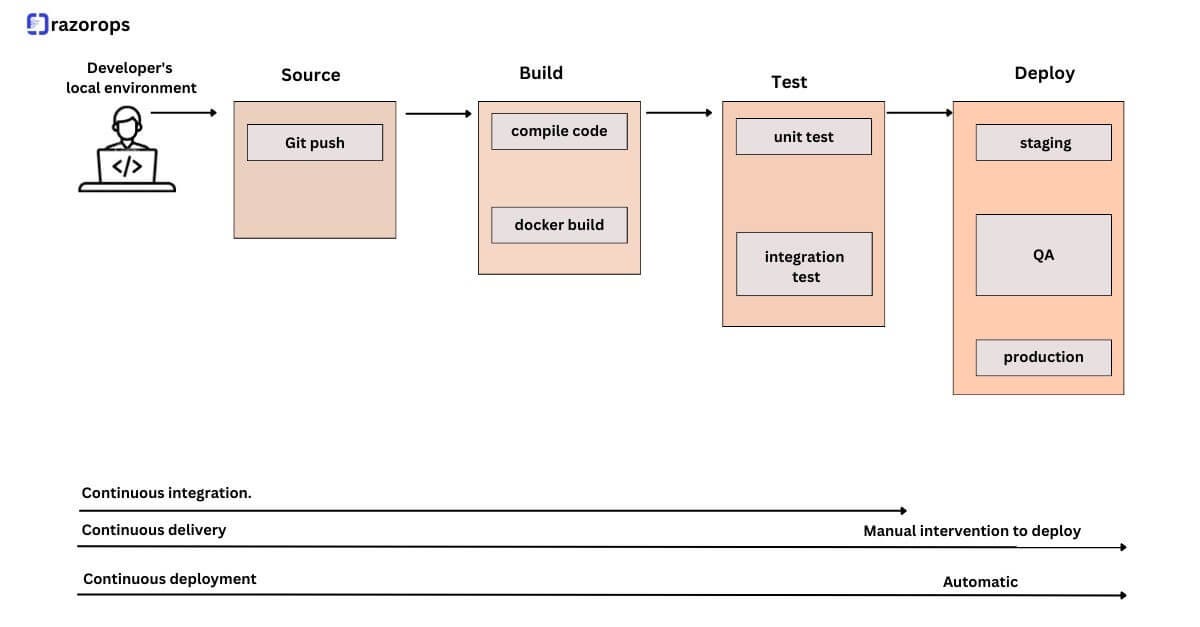
In today’s fast-paced software world, speed + quality = success. That’s where CI/CD pipelines step in. A well-designed pipeline automates testing, building, and deployment — turning raw code into production-ready software smoothly and reliably. ⚙️✨
In this guide, we’ll break down:
✅ What CI/CD pipelines are
✅ Core concepts & principles
✅ How pipelines work step-by-step
✅ Tools used at each stage
✅ Practical setup examples you can try
🔍 What is a CI/CD Pipeline?
A CI/CD pipeline is an automated workflow that moves code from development to production through a series of structured stages.
- CI (Continuous Integration) → Automatically builds & tests code after every commit
- CD (Continuous Delivery/Deployment) → Automatically releases validated code to staging/production
Think of it as a factory assembly line for software 🏭 — every change goes through checks before reaching users.
🧠 Core Concepts Behind CI/CD
1. 🔄 Continuous Integration (CI)
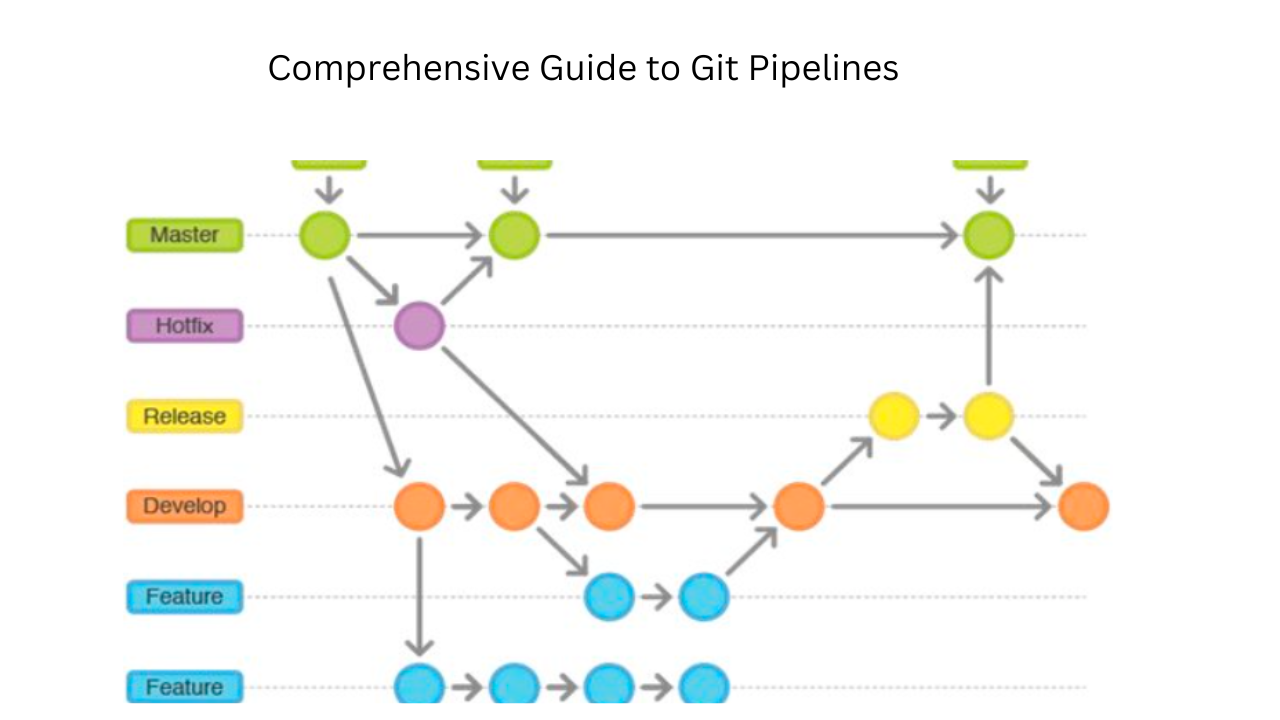
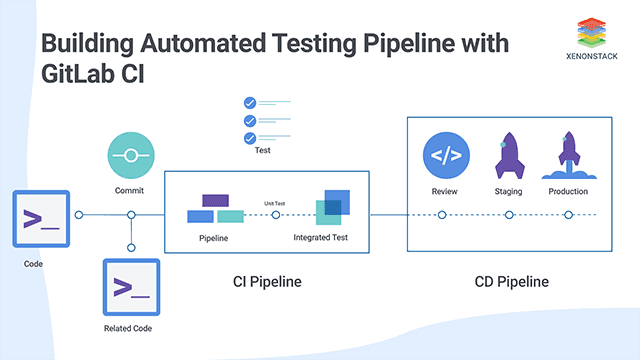
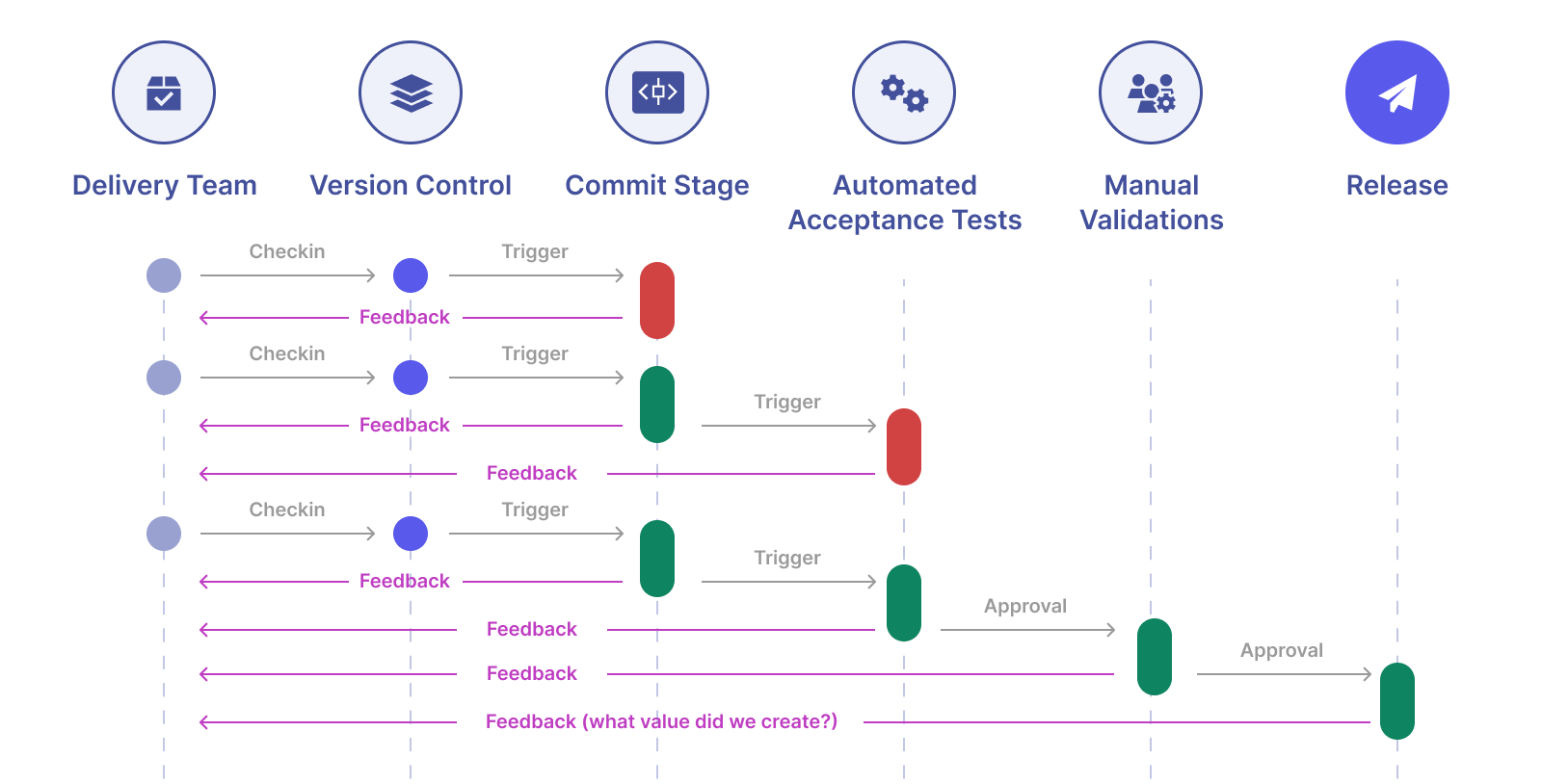
CI ensures developers merge code frequently into a shared repository. Each commit triggers:
- Automated builds
- Unit tests
- Code quality checks
- Security scans
Key principle: Fail fast and fix early ⚡
Popular CI tools:
- Jenkins
- GitHub Actions
- GitLab CI/CD
2. 🚚 Continuous Delivery (CD)

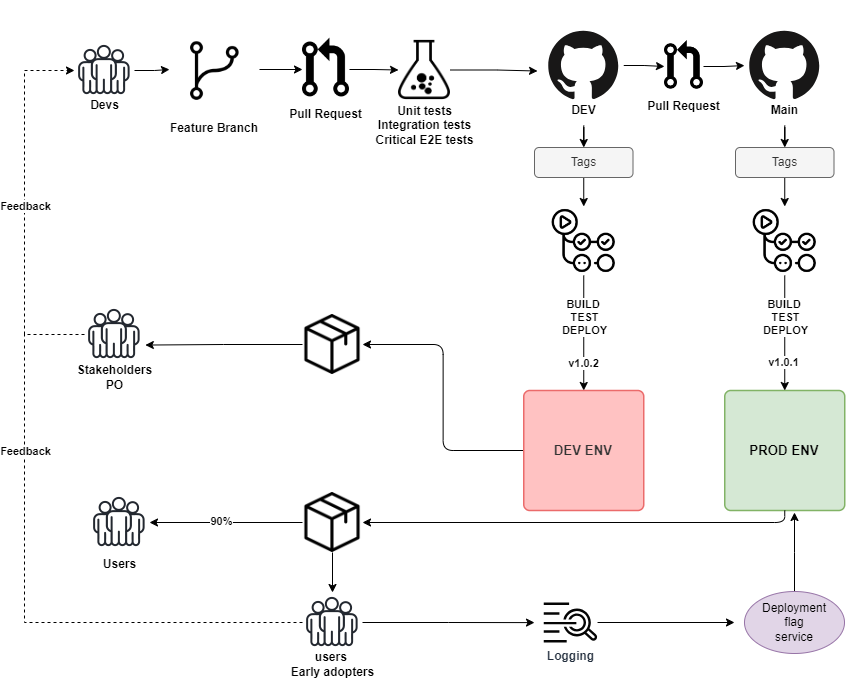

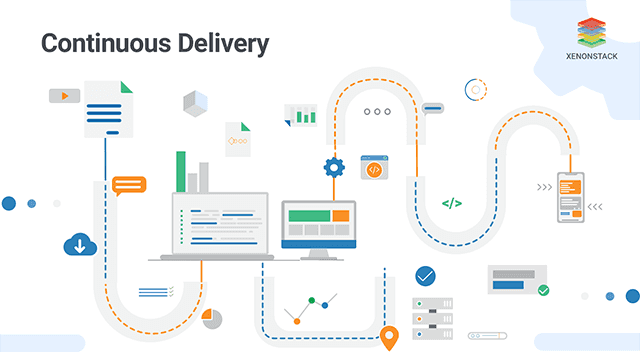
Continuous Delivery ensures software is always in a deployable state.
Steps include:
- Packaging the application
- Deploying to staging
- Running integration tests
- Manual approval (optional)
This gives teams confidence to release anytime.
3. 🤖 Continuous Deployment

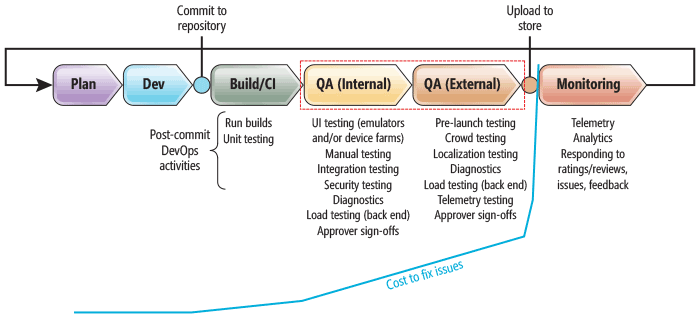

Here, every successful change is automatically pushed to production.
Principles involved:
- Zero-touch deployments
- Automated rollback
- Monitoring & feedback loops
Tools commonly used:
- Docker
- Kubernetes
- Terraform
⚙️ How a CI/CD Pipeline Works (Step-by-Step)
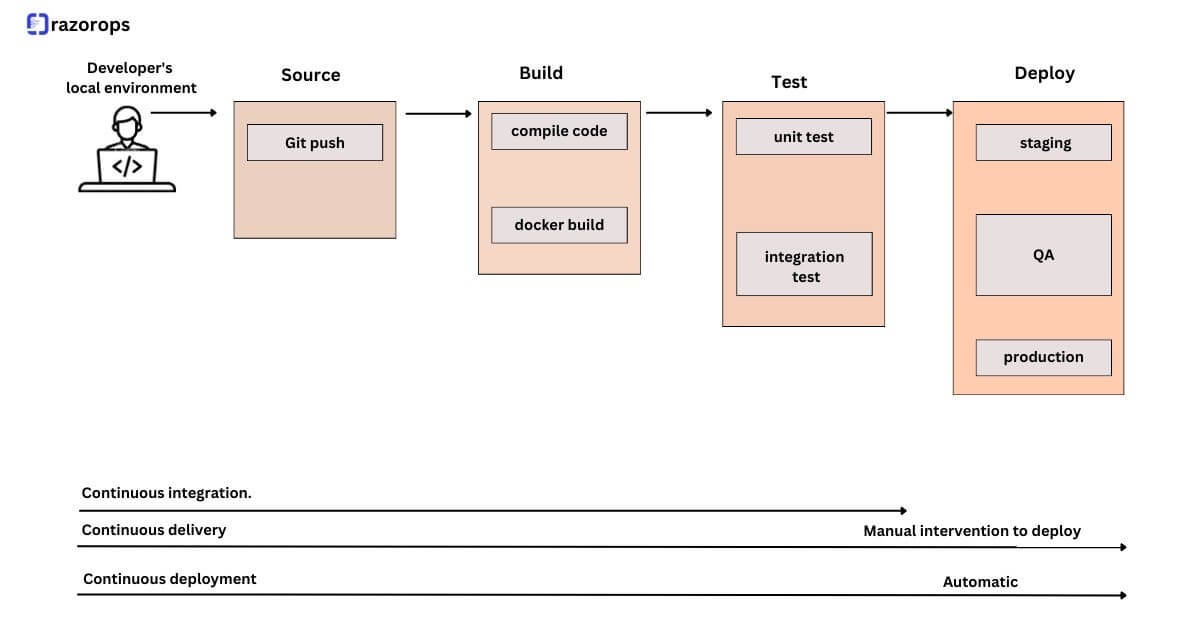
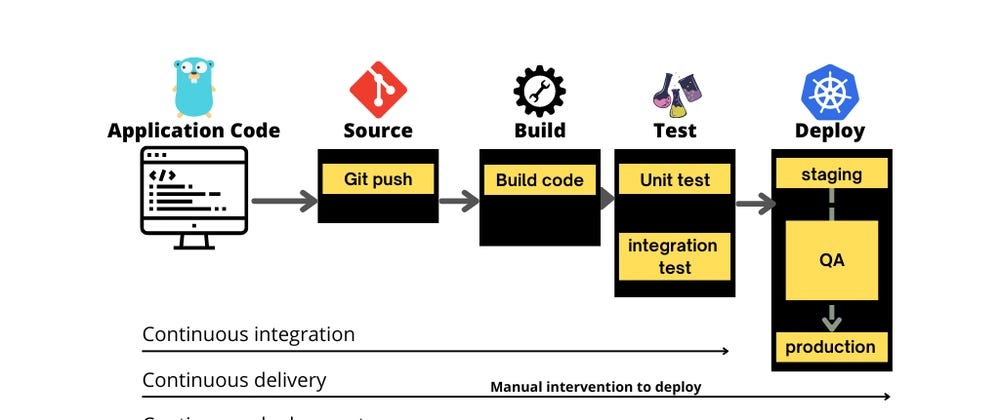
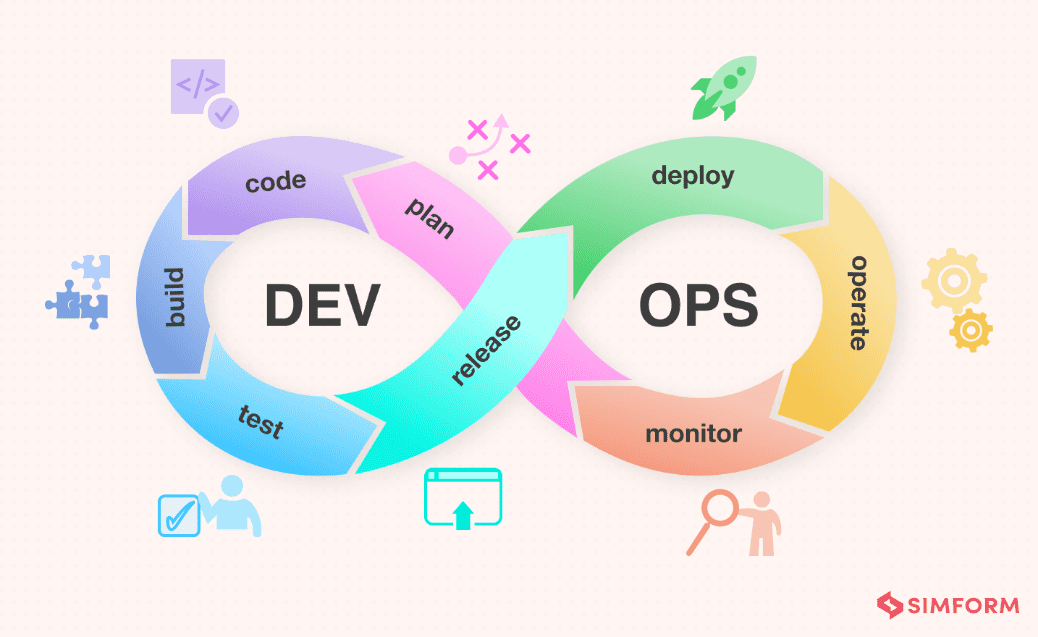
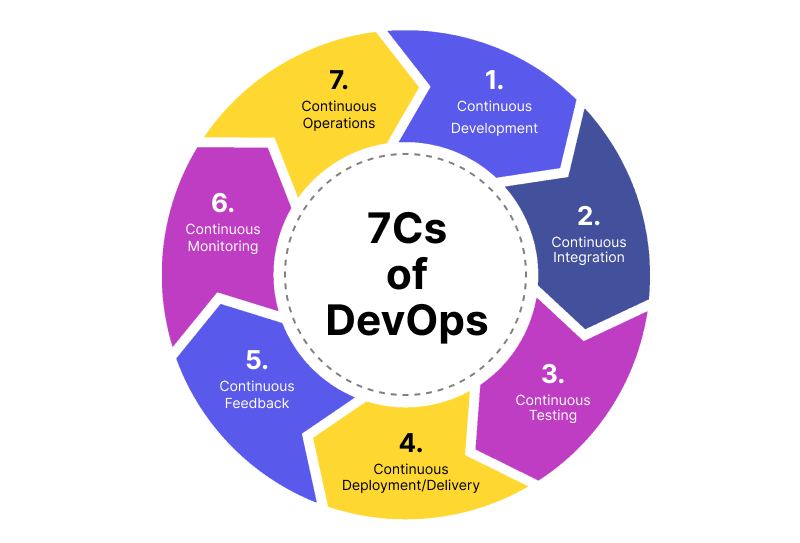
A typical pipeline flows like this:
1. 🧑💻 Code Commit
Developers push code to a version control system.
Tool: Git
2. 🏗️ Build Stage
The system compiles and packages the application.
Tools:
- Maven
- Gradle
3. 🧪 Automated Testing
Runs unit, integration, and UI tests.
Benefits:
- Early bug detection
- Stable releases
4. 📦 Artifact Storage
Stores build outputs in repositories.
Tool: Nexus Repository
5. 🚀 Deployment
Deploys to staging/production environments.
Platforms:
- AWS
- Azure
6. 📊 Monitoring & Feedback
Tracks performance and errors post-release.
Tool: Prometheus
🧩 Key Principles of an Effective Pipeline
A great CI/CD pipeline follows these golden rules:
✨ Automation First — Minimize manual work
🔁 Small Frequent Changes — Easier debugging
🧪 Test Everything — Ensure reliability
⚡ Fast Feedback — Developers fix issues quickly
🔒 Security Integration — Scan vulnerabilities early
📈 Continuous Improvement — Optimize constantly
🛠️ Popular CI/CD Toolchain Stack
Here’s a common modern stack:
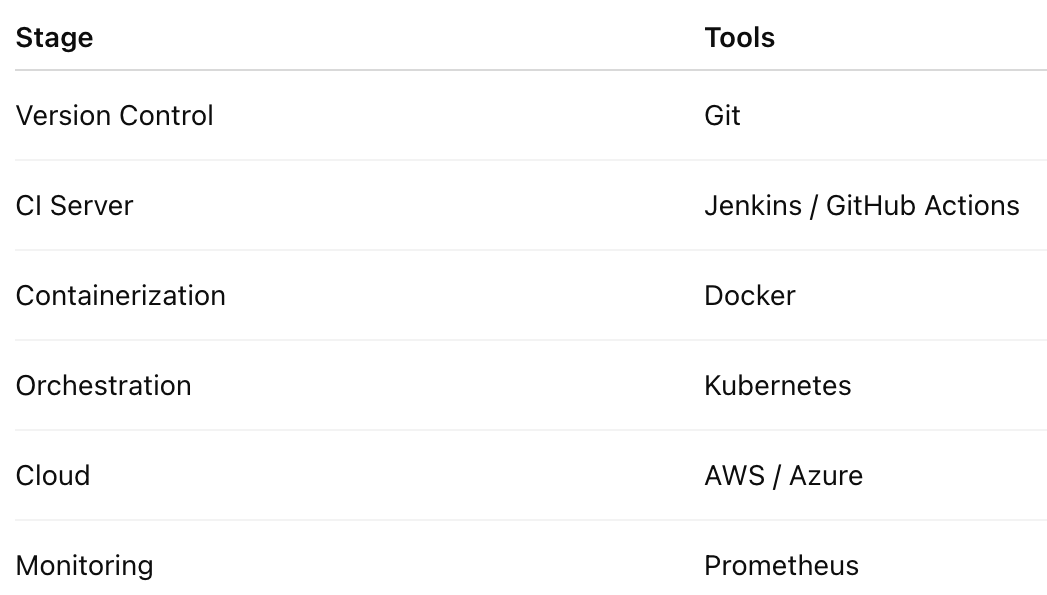
This stack enables scalable and automated deployments.
💡 Practical CI/CD Setup Examples
🔹 Example 1: Simple GitHub Actions Pipeline
Best for small projects:
- Push code to GitHub
- GitHub Actions runs tests
- Deploy to cloud automatically
Great for startups & personal projects.
🔹 Example 2: Jenkins + Docker + Kubernetes
Enterprise-grade pipeline:
- Jenkins builds Docker images
- Push to container registry
- Kubernetes deploys automatically
Ideal for scalable production apps.
🔹 Example 3: GitLab End-to-End DevOps
All-in-one solution:
- Built-in CI/CD
- Security scanning
- Auto deployment
Perfect for teams wanting integrated workflows.
🎯 Best Use Cases of CI/CD Pipelines
CI/CD shines in:
✅ Microservices architectures
✅ Agile development teams
✅ Cloud-native applications
✅ SaaS platforms
✅ Frequent product releases
🏁 Final Thoughts
CI/CD pipelines are the engine of modern DevOps. They:
🚀 Accelerate development
🛡️ Improve software quality
🤖 Reduce human error
📦 Enable reliable deployments
Mastering CI/CD means mastering modern software delivery.
Whether you’re a solo developer or an enterprise team, building a smart pipeline will transform how you ship software. 💪


Comments
Post a Comment