⚡ ReactJS Optimization Mastery: Turbocharge Your Apps for Blazing Performance 🚀
⚡ ReactJS Optimization Mastery: Turbocharge Your Apps for Blazing Performance 🚀
ReactJS is powerful — but an unoptimized React app can feel slow, laggy, and frustrating. 😓 Performance optimization is what separates good React developers from great ones.
In this guide, we’ll cover:
✅ Core optimization techniques
✅ Advanced tricks used by professionals
✅ Powerful libraries
✅ Common mistakes to avoid
✅ Practical examples you can use today
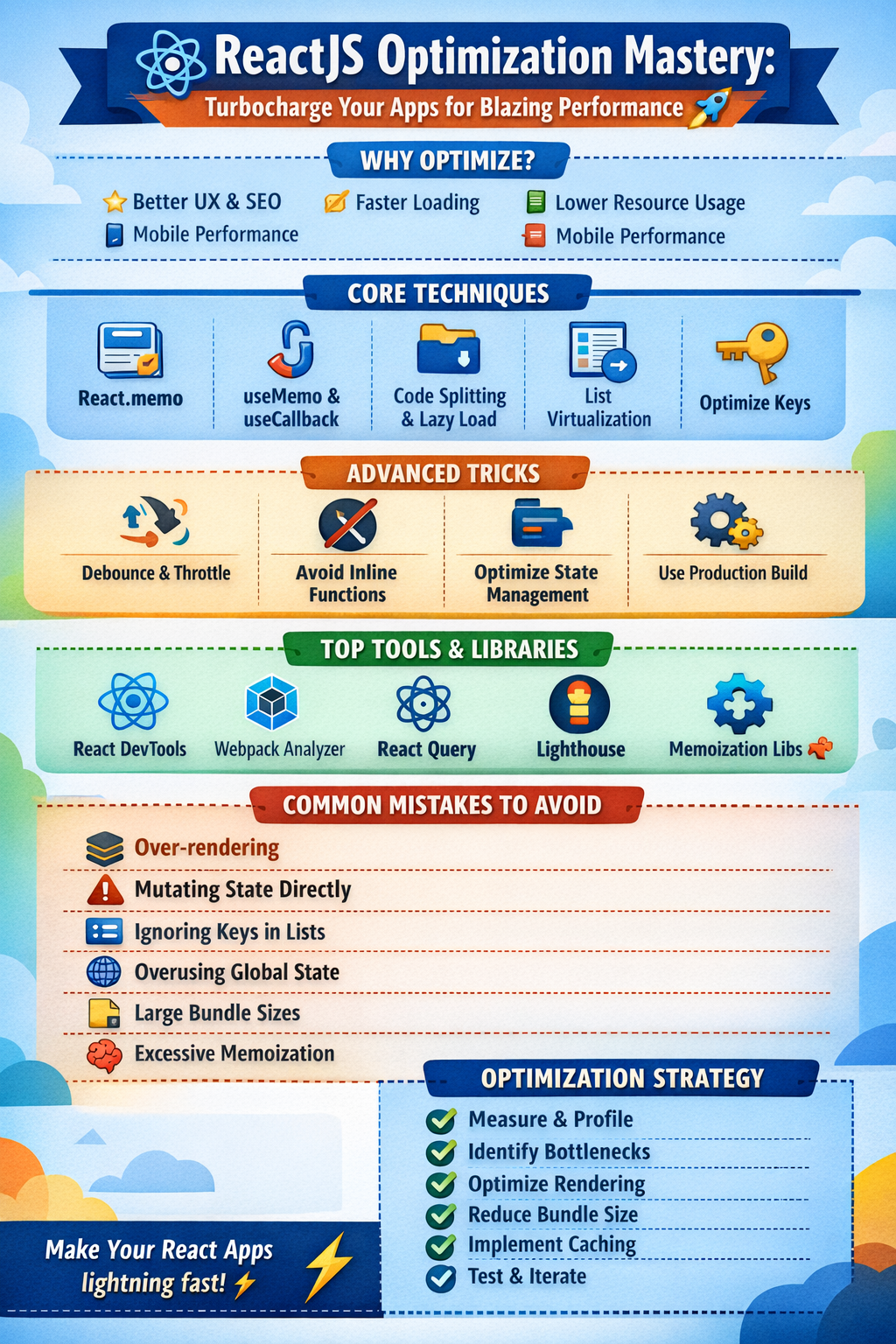
Let’s dive in. 👇
🧠 Why React Optimization Matters
Performance isn’t just about speed — it impacts:
✨ User experience
📈 SEO & conversions
🔋 Resource usage
📱 Mobile responsiveness
“Fast apps feel magical. Slow apps feel broken.”
A slow React app leads to poor engagement and higher bounce rates. Optimization ensures smoother rendering, faster loading, and a better overall experience.
⚙️ Core React Optimization Techniques
🔹 1. Memoization with React.memo
React re-renders components unnecessarily if not controlled.
👉 React.memo prevents re-renders when props don’t change.
Example:
const UserCard = React.memo(({ user }) => {
  console.log("Rendered");
  return <div>{user.name}</div>;
});
✅ Best for pure functional components
❌ Avoid overusing — memoization itself has a cost
Use it when components render frequently with the same props.
🔹 2. useMemo & useCallback Hooks
These hooks prevent expensive recalculations and function recreations.
Example:
const expensiveValue = useMemo(() => computeHeavyTask(data), [data]);z

const handleClick = useCallback(() => {
  doSomething(id);
}, [id]);
👉 Use when:
- Calculations are expensive
- Functions are passed as props
- Components re-render frequently
Avoid wrapping everything in these hooks — use them strategically.
🔹 3. Code Splitting & Lazy Loading
Load only what users need.
const Dashboard = React.lazy(() => import("./Dashboard"));

<Suspense fallback={<Loader />}>
  <Dashboard />
</Suspense>
✅ Reduces bundle size
✅ Improves initial load time
✅ Speeds up first contentful paint
This is especially useful for large applications with multiple routes.
🔹 4. Virtualization for Large Lists
Rendering thousands of DOM nodes is expensive.
Use libraries like:
- react-window
- react-virtualized
import { FixedSizeList as List } from "react-window";Only visible items are rendered → huge performance boost ⚡
Perfect for dashboards, tables, and infinite scrolling feeds.
🔹 5. Optimize Rendering with Keys
React uses keys to track list items efficiently.
items.map(item => <Row key={item.id} />)Stable and unique keys reduce unnecessary DOM updates and improve reconciliation.
🚀 Advanced Optimization Tricks
🔥 Debouncing & Throttling
Prevent excessive API calls or renders.
Libraries:
- lodash.debounce
- lodash.throttle
Example:
const debouncedSearch = debounce(searchAPI, 300);Perfect for:
- Search inputs
- Resize and scroll events
- Real-time filtering
🔥 Avoid Inline Functions in JSX
❌ Bad:
<button onClick={() => handleClick(id)} />✅ Better:
const handle = useCallback(() => handleClick(id), [id]);
<button onClick={handle} />
Inline functions create new references on every render and may trigger unnecessary child re-renders.
🔥 Optimize State Management
Large global states cause extra renders.
Use:
- Context wisely
- Zustand
- Redux Toolkit
- Jotai or Recoil
Best practices:
- Keep state as local as possible
- Split large states into smaller slices
- Avoid deeply nested state
Small, focused components perform better. 🎯
🔥 Use Production Builds
Always deploy production builds:
npm run buildProduction mode removes development warnings and optimizes bundles automatically.
🧰 Best Libraries for React Optimization
🛠 React DevTools Profiler
Helps identify slow components and unnecessary re-renders.
🛠 Webpack Bundle Analyzer
Visualizes bundle size and detects heavy dependencies.
🛠 React Query (TanStack Query)
Efficient server-state caching and background syncing.
🛠 Lighthouse
Audits performance and provides optimization suggestions.
🛠 Memoization Libraries
- reselect
- proxy-memoize
Useful for optimizing derived state.
❌ Common Mistakes to Avoid
🚫 Over-rendering Components
Large components with too much logic re-render frequently. Break them into smaller reusable pieces.
🚫 Mutating State Directly
Always use immutable updates.
// Wrong
state.items.push(newItem);

// Correct
setItems([...items, newItem]);
Mutation prevents React from detecting changes properly.
🚫 Overusing Memoization
Memoizing everything adds complexity and memory overhead. Optimize only where profiling shows real issues.
🚫 Ignoring Dependency Arrays
Incorrect dependencies in hooks cause bugs and wasted renders.
useEffect(() => {
  fetchData();
}, [userId]);
Always include required dependencies.
🚫 Overusing Global State
Not everything needs Redux or Context. Excess global state increases coupling and re-renders.
🚫 Large Bundle Sizes
Import only what you need:
import debounce from "lodash/debounce";Instead of importing the entire library.
🧪 Real-World Optimization Strategy
A practical workflow:
1️⃣ Measure performance (Profiler/Lighthouse)
2️⃣ Identify bottlenecks
3️⃣ Optimize rendering patterns
4️⃣ Reduce bundle size
5️⃣ Implement caching & lazy loading
6️⃣ Test again
Optimization is iterative — measure → improve → repeat. 🔄
🎯 Best Practices Summary
✅ Memoize wisely
✅ Split bundles and lazy load
✅ Virtualize large lists
✅ Avoid unnecessary re-renders
✅ Keep state minimal and local
✅ Profile regularly
✅ Use production builds
💡 Final Thoughts
React optimization isn’t about micro-tweaks — it’s about architectural thinking.
“The fastest code is the code you don’t run.”
Focus on:
⚡ Efficient rendering
🧠 Smart state design
📦 Lean bundles
🔍 Continuous profiling
Master these principles, and your React apps will feel lightning fast and scalable. 🚀


Comments
Post a Comment