⚛️ The Core Principles Every ReactJS Developer MUST Know (With Hacks & Common Mistakes) 🚀
⚛️ The Core Principles Every ReactJS Developer MUST Know (With Hacks & Common Mistakes) 🚀
Write Less. Think Better. Build Faster.
React isn’t just a library — it’s a way of thinking. Many developers use React, but only a few truly understand it.
If you want to level up from React user ➜ React engineer, this guide is for you 💡
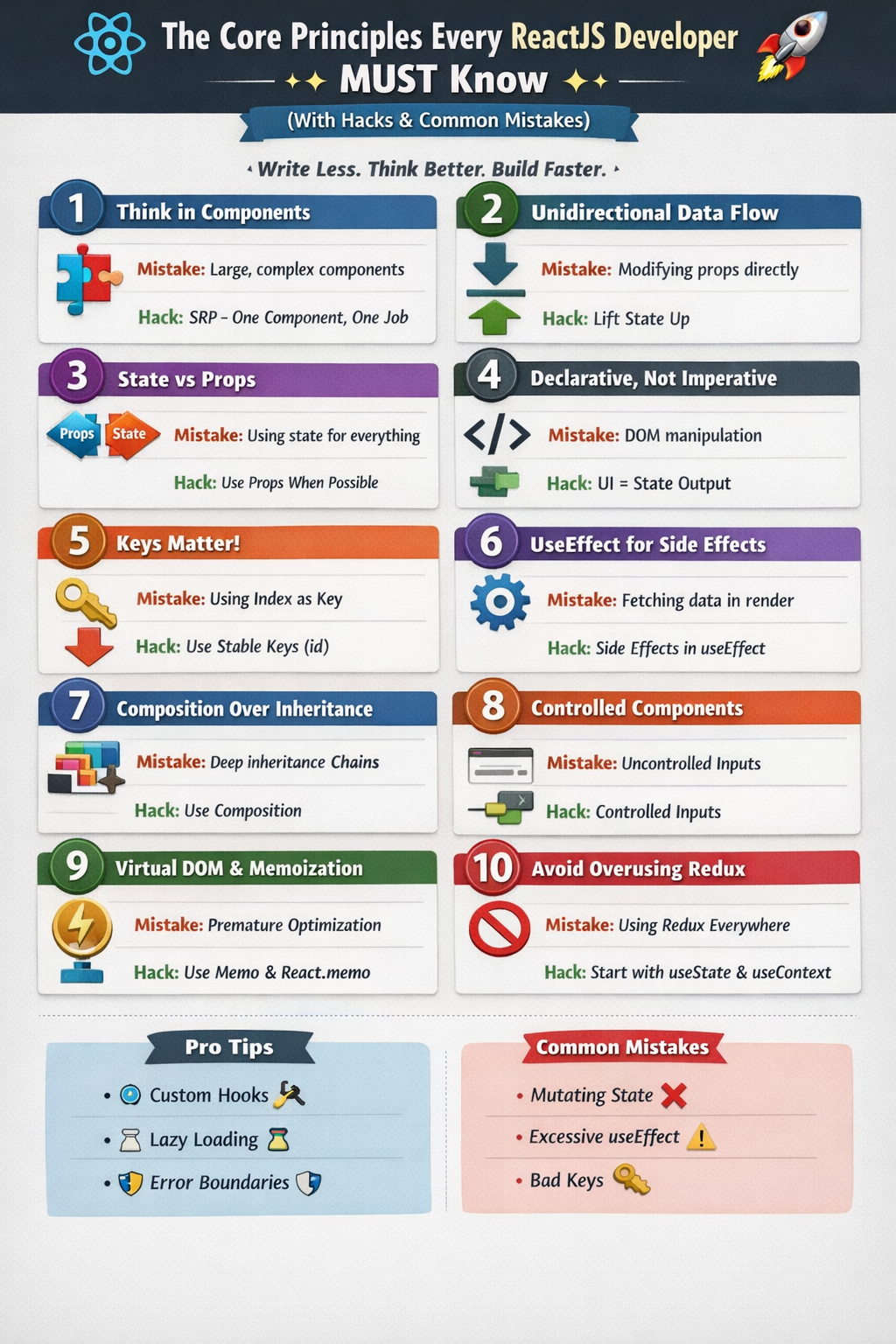
🧠 1. Think in Components, Not Pages
“Divide and conquer” is React’s superpower.
✅ Principle
React apps are built using small, reusable, independent components.
❌ Mistake
Creating huge components doing too many things.
🔥 Hack
Follow SRP (Single Responsibility Principle):
- One component = One job
// ❌ Bad
function Dashboard() {
  // auth, data fetch, UI, logic — all together 😵
}

// ✅ Good
<Header />
<UserStats />
<ActivityList />
🔄 2. Unidirectional Data Flow (One-Way Binding)
Data flows top ➜ down, never the other way.
✅ Principle
Props are read-only. Child components cannot modify parent state.
❌ Mistake
Trying to update props directly.
// ❌ Wrong
props.count = props.count + 1;
🔥 Hack
Lift state up when multiple components need it.
const [count, setCount] = useState(0);🎭 3. State vs Props — Know the Difference
Props State Passed from parent Managed inside component Immutable Mutable For configuration For interaction
❌ Mistake
Storing everything in state.
🔥 Hack
Ask yourself:
“Can this be derived from props?”
If yes ➜ Don’t use state
🧩 4. Declarative > Imperative
Tell React what you want, not how to do it.
❌ Imperative Thinking
document.getElementById("btn").style.display = "none";✅ Declarative React
{isVisible && <Button />}🔥 Hack
Your UI should be a pure function of state 🧮
🧠 5. Virtual DOM & Reconciliation
React doesn’t update the real DOM directly.
✅ Principle
- Creates a Virtual DOM
- Diffs changes
- Updates only what changed ⚡
❌ Mistake
Optimizing prematurely.
🔥 Hack
Use:
React.memouseCallbackuseMemo
Only when performance issues appear
🔁 6. Keys Are NOT Optional
Keys help React identify what changed.
❌ Mistake
Using index as key.
items.map((item, index) => <Item key={index} />)✅ Correct
items.map(item => <Item key={item.id} />)🔥 Hack
Stable keys = fewer bugs + better performance
🎯 7. Side Effects Belong in useEffect
❌ Mistake
Fetching data directly inside render.
✅ Correct
useEffect(() => {
  fetchData();
}, []);
🔥 Hack
Think of useEffect as:
“React lifecycle in functional disguise” 😄
🧱 8. Composition Over Inheritance
React favors composition, not class inheritance.
❌ Mistake
Deep component inheritance chains.
✅ Better Pattern
<Card>
  <UserProfile />
</Card>
🔥 Hack
Use children to build flexible UI.
🔍 9. Controlled Components Win
❌ Uncontrolled
Letting DOM handle form state.
✅ Controlled
<input value={name} onChange={e => setName(e.target.value)} />🔥 Hack
Controlled inputs = validation + consistency
⚡ 10. Don’t Overuse State Management Libraries
❌ Mistake
Using Redux for everything.
✅ Principle
Start with:
useStateuseContextuseReducer
🔥 Hack
“If React can handle it, let React handle it.”
🛠️ React Developer Power Hacks 💎
🚀 Use Custom Hooks
function useAuth() {
  const [user, setUser] = useState(null);
  return { user, login, logout };
}
🚀 Lazy Load Components
const Dashboard = React.lazy(() => import("./Dashboard"));🚀 Error Boundaries
Prevent full app crashes 🛡️
🚨 Most Common React Mistakes to Avoid
❌ Mutating state directly
❌ Too many useEffects
❌ Missing dependency arrays
❌ Inline functions in heavy components
❌ Ignoring performance until production
🧘 Final Thought
React rewards clarity of thought.
If you master its principles, React becomes predictable, scalable, and joyful ❤️
Build small, think declaratively, and let state drive UI.
📢 If you found this useful:
🔁 Share with fellow React devs
💬 Drop your favorite React hack
⭐ Follow for more dev wisdom
Happy Coding! ⚛️🚀


Comments
Post a Comment