🚀 Server Optimization Mastery: Boost Performance, Cut Costs & Scale Like a Pro! ⚡🔥
🚀 Server Optimization Mastery: Boost Performance, Cut Costs & Scale Like a Pro! ⚡🔥
Optimizing your server is one of the smartest ways to supercharge application performance, reduce infrastructure costs, and offer consistently fast user experiences. Whether you’re managing a Rails app, Node.js service, Python backend, or a full microservices setup — server optimization is your silent superpower. 💪🧠
This blog breaks down core optimization principles, essential tools, real examples, and common mistakes to avoid when setting up and scaling servers. Let’s dive deep! 🌊✨
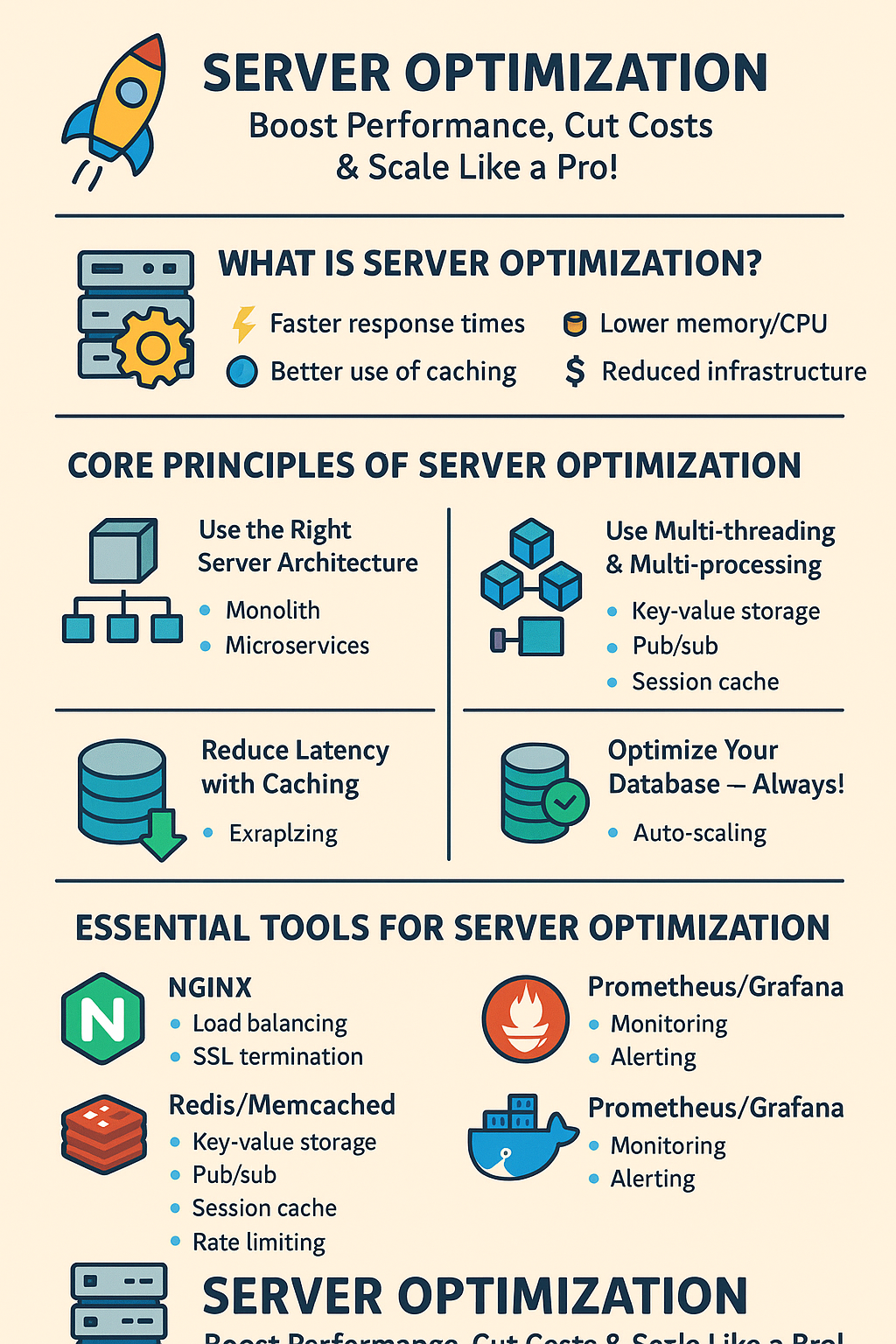
🌐 1. What Is Server Optimization?
Server optimization means making your server run faster, smoother, and more efficiently by tweaking configurations, allocating resources wisely, and using the right tools.
It focuses on:
- ⚡ Faster response times
- 💾 Lower memory/CPU consumption
- 🔧 Better use of caching
- ⚙️ Stability under heavy load
- 💸 Reduced infrastructure cost
- 📈 Scalability without downtime
⚙️ 2. Core Principles of Server Optimization
🧠 2.1 Use the Right Server Architecture
Choosing the right architecture impacts everything!
🔹 Monolith
- Simple to deploy
- Good for small/medium apps
- Easy to debug
🔹 Microservices
- Independent scaling
- Fault isolation
- Faster deployments
Tip: For Rails apps, a monolith is often best until you hit serious scale.
🧵 2.2 Use Multi-threading & Multi-processing
Modern servers use concurrency to boost performance.
🔧 Examples
- Puma (Rails) → threads + workers
- Gunicorn (Python) → worker processes
- Node.js → cluster mode
📝 Example: Rails Puma Config
workers 2
threads 4, 16
preload_app!
📉 2.3 Reduce Latency with Caching
🔥 Types of Caching
- Page caching
- Fragment caching
- Object caching (Redis/Memcached)
- Database query caching
- CDN caching (Cloudflare/AWS CloudFront)
📝 Example: Rails + Redis Cache
Rails.cache.fetch("user_#{id}", expires_in: 10.minutes) do
  User.find(id)
end
💾 2.4 Optimize Your Database — Always!
Key techniques:
- Use indexes
- Avoid N+1 queries
- Cache repeated queries
- Use connection pooling
- Run EXPLAIN queries
Tools:
- 🟦 pgHero — performance insights
- 🟩 pgTune — DB tuning
- 🔎 EXPLAIN ANALYZE — debugging slow queries
🌬️ 2.5 Use Load Balancing
Load balancers improve performance and reliability.
Popular Tools:
- NGINX
- HAProxy
- AWS ELB / ALB
- Traefik
Example: NGINX Load Balancing
upstream app {
    server 127.0.0.1:3000;
    server 127.0.0.1:3001;
}
🧹 2.6 Clean & Optimize Your OS
Steps:
- Disable unused services
- Limit background processes
- Tune kernel parameters
Linux Example:
sudo systemctl disable bluetooth
sudo systemctl stop cups
🧭 2.7 Use CDN for Static Assets
CDN reduces load and speeds up global delivery.
Best CDNs:
- Cloudflare
- AWS CloudFront
- Akamai
- Fastly
🚦 2.8 Monitor Everything (The Golden Rule)
Monitoring helps you identify bottlenecks before they break your app.
Tools:
- Prometheus + Grafana 📊
- Datadog 🐶
- New Relic
- AWS CloudWatch
🔧 3. Essential Tools for Server Optimization
🟩 1. NGINX / Apache
High-performance web servers and reverse proxies.
⭐ Features
- Load balancing
- SSL termination
- Caching
- Compression
📝 Real Example
Enable gzip:
gzip on;
gzip_types text/plain text/css application/json;
🟥 2. Redis / Memcached
Super-fast in-memory caching engines.
⭐ Features
- Key-value storage
- Pub/Sub
- Session cache
- Rate limiting
Example: Redis-based rate limiter
redis.incr("api_limit:#{user.id}")🟦 3. Docker + Kubernetes
For containerization & scaling.
⭐ Features
- Auto-scaling
- Rolling deployments
- Resource isolation
Example: Resource Limits
resources:
  limits:
    cpu: "500m"
    memory: "512Mi"
🟧 4. HAProxy
High-performance TCP load balancer.
⭐ Features
- SSL offloading
- Health checks
- Traffic routing
🟪 5. Prometheus + Grafana
Monitoring & alerting.
⭐ Features
- Real-time metrics
- Custom dashboards
- Threshold alerts
⚡ 4. Real-World Optimization Example
🔹 Scenario
A Rails app is slow under traffic spikes.
🔧 Solutions
- Add Puma workers = CPU cores
- Add Redis caching for queries
- Add NGINX reverse proxy
- Move static assets to CDN
- Use pgHero to detect slow queries
🚀 Results
- Latency dropped by 60%
- Server cost reduced by 40%
- 2x traffic handling capacity
❌ 5. Common Server Setup Mistakes to Avoid
❌ 1. Running everything on a single server
Always separate:
- app
- database
- caching
- load balancing
❌ 2. Ignoring security
Always enable:
- Firewall
- Fail2ban
- NGINX security headers
❌ 3. Not enabling Gzip / Brotli
This slows down static load time drastically.
❌ 4. No database indexing
80% of performance problems come from bad queries.
❌ 5. Misconfigured web server
Wrong worker/thread configuration → slow performance.
❌ 6. Skipping monitoring
If you don’t measure, you can’t optimize.
❌ 7. Using default server settings
Default settings are made for compatibility, not performance.
🎯 Final Thoughts
Server Optimization is one of the most valuable skills for any developer or DevOps engineer. It saves money, boosts performance, and takes your application from “just working” to “silky smooth at scale.” ⚡🔥
Start small:
✔ Add caching
✔ Tune your DB
✔ Use CDNs
✔ Set up monitoring
✔ Optimize your web server
Soon, you’ll see massive performance gains — with the same hardware! 🚀


Comments
Post a Comment