💰⚙️ FinOps Mastery: The Ultimate Guide to Cloud Financial Operations for Modern Teams 🚀
💰⚙️ FinOps Mastery: The Ultimate Guide to Cloud Financial Operations for Modern Teams 🚀
In today’s cloud-first world, companies spend millions on cloud infrastructure. But without proper financial discipline, cloud costs can spiral out of control.
This is where FinOps (Financial Operations) comes into play.
FinOps is a cultural and operational practice that brings together engineering, finance, and business teams to manage cloud costs efficiently while maximizing value.
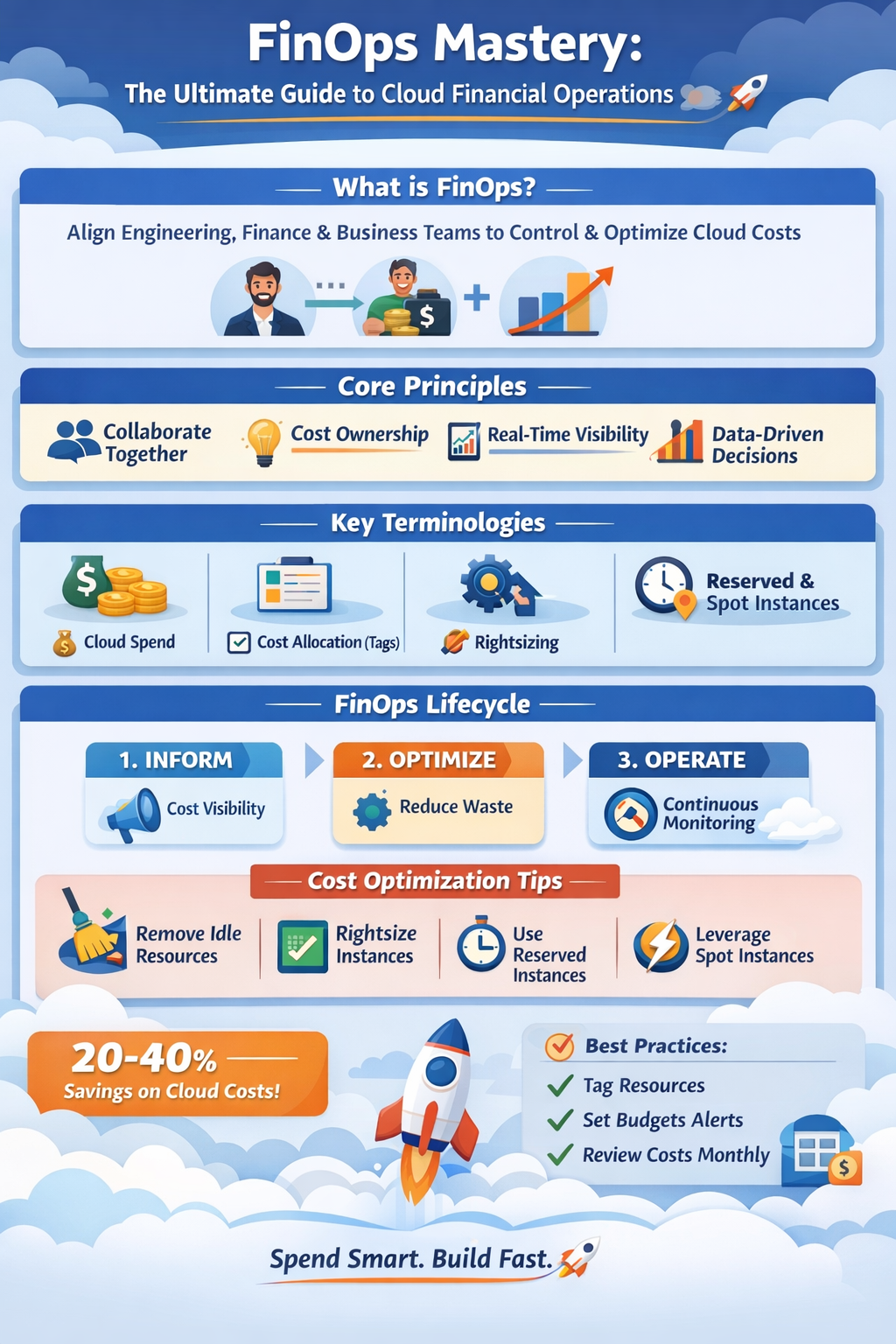
Let’s explore FinOps concepts, terminologies, tools, principles, and optimization techniques in this complete guide. 📘
☁️ What is FinOps?
FinOps (Cloud Financial Operations) is a framework that helps organizations manage, optimize, and control cloud spending while maximizing business value.
Instead of leaving cloud cost decisions only to finance teams, FinOps creates collaboration between:
👨💻 Engineering Teams
📊 Finance Teams
📈 Business Teams
Goal of FinOps
✔ Increase cost visibility
✔ Optimize cloud spending
✔ Improve resource efficiency
✔ Align engineering decisions with financial goals
🔑 Core Principles of FinOps
1️⃣ Teams Need to Collaborate 🤝
Cloud spending decisions should involve engineering, finance, and product teams together.
Example:
Instead of engineering launching large servers blindly, they discuss cost implications with finance.
2️⃣ Everyone Takes Ownership of Cloud Costs 💡
Every team should understand how their services impact cloud spending.
Example:
A backend developer launching 10 Kubernetes clusters unnecessarily increases cloud costs dramatically.
3️⃣ Real-Time Cost Visibility 📊
Organizations should monitor cloud costs daily or even hourly.
Tools provide dashboards showing:
📈 Service-wise spending
📈 Team-wise costs
📈 Cost trends
4️⃣ Centralized Governance with Decentralized Decisions 🏢
FinOps teams create guidelines, but developers still make fast decisions within cost boundaries.
5️⃣ Data Drives Decisions 📉
All optimization decisions should be data-driven rather than assumptions.
Example:
Instead of guessing which server to downgrade, analyze CPU utilization metrics.
🔍 Important FinOps Terminologies
Understanding these terms is crucial for mastering FinOps.
💵 Cloud Spend
Total money spent on cloud infrastructure.
Example:
Monthly cloud bill:
AWS: $12,000
Azure: $4,000
Total Cloud Spend = $16,000
📊 Cost Allocation
Assigning cloud costs to teams, services, or departments.
Example Tags:
Team = Backend
Project = PaymentService
Environment = Production
This helps identify which team consumes the most cloud resources.
📉 Cost Optimization
Reducing unnecessary cloud costs without impacting performance.
Examples:
✔ Terminating unused servers
✔ Rightsizing instances
✔ Using reserved instances
⚡ Rightsizing
Adjusting cloud resources based on actual usage.
Example:
A server with:
CPU Usage = 10%
Should be downgraded from:
m5.large → t3.small🕒 Reserved Instances (RI)
Cloud providers offer discounts if you commit to long-term usage.
Example:
AWS offers up to 72% discount for 3-year reserved instances.
💡 Spot Instances
Unused cloud capacity offered at huge discounts (up to 90%).
Best for:
✔ Batch jobs
✔ Data processing
✔ AI training
📦 Tagging
Adding metadata tags to resources for cost tracking.
Example:
Project: Ecommerce
Environment: Production
Owner: BackendTeam
🧠 FinOps Lifecycle
FinOps follows a continuous improvement cycle.
1️⃣ Inform Phase 📊
Teams gain visibility into cloud costs.
Actions:
✔ Create cost dashboards
✔ Allocate costs to teams
✔ Identify spending patterns
2️⃣ Optimize Phase ⚙️
Teams reduce unnecessary spending.
Actions:
✔ Rightsizing
✔ Removing idle resources
✔ Purchasing reserved instances
3️⃣ Operate Phase 🚀
Teams continuously monitor and maintain cost efficiency.
Actions:
✔ Budget alerts
✔ Cost anomaly detection
✔ Continuous cost monitoring
🛠️ Popular FinOps Tools
Here are the most widely used FinOps tools.
☁️ Cloud Native Tools
AWS Cost Explorer
Features:
✔ Cost breakdown
✔ Forecasting
✔ Usage reports
Example:
Analyze EC2 spending by service and region.
Azure Cost Management
Features:
✔ Budget alerts
✔ Cost analysis dashboards
✔ Cost optimization recommendations
Google Cloud Billing
Features:
✔ Cost reports
✔ Resource usage analysis
✔ Budget alerts
🧰 Third-Party FinOps Tools
Kubecost
Best for:
✔ Kubernetes cost monitoring
Features:
✔ Cluster cost allocation
✔ Namespace cost tracking
CloudHealth by VMware
Features:
✔ Multi-cloud cost management
✔ Governance policies
✔ Cost optimization insights
Apptio Cloudability
Features:
✔ Financial reporting
✔ Cost forecasting
✔ Budget management
Spot.io
Focus:
✔ Automated cloud cost optimization
Features:
✔ Spot instance automation
✔ Rightsizing recommendations
⚙️ FinOps Optimization Techniques
Let’s explore practical ways to reduce cloud costs.
1️⃣ Remove Idle Resources 🧹
Many organizations forget unused resources.
Common examples:
❌ Idle VMs
❌ Unused load balancers
❌ Old snapshots
Solution:
Schedule automatic cleanup.
2️⃣ Rightsizing Instances 📏
Monitor:
CPU
Memory
Network usage
Then adjust instance size.
Example:
Before: m5.2xlarge ($384/month)
After:  t3.large ($120/month)
Savings = 68%
3️⃣ Use Auto Scaling 📈
Instead of fixed servers, use dynamic scaling.
Example:
Traffic spikes at night sales events.
Autoscaling adds more instances temporarily.
4️⃣ Reserved Instances 🕒
Use reserved instances for:
✔ Databases
✔ Production workloads
Savings:
Up to 70% cost reduction.
5️⃣ Spot Instances ⚡
Use for non-critical workloads.
Example:
AI training pipelines.
Savings:
Up to 90% cheaper.
6️⃣ Storage Lifecycle Policies 📦
Move rarely accessed data to cheaper storage.
Example in AWS:
S3 Standard → S3 GlacierSavings can reach 80%.
📊 Example FinOps Implementation
Imagine a company running an E-commerce platform.
Initial Cloud Cost:
EC2 = $8000
S3 = $3000
RDS = $4000
Total = $15,000/month
After FinOps Optimization:
✔ Rightsizing servers → save $3000
✔ Reserved instances → save $2000
✔ Storage lifecycle → save $1000
New Monthly Cost:
Total = $9,000
Savings = $6,000/month
Annual Savings:
$72,000 🎉
🚨 Common FinOps Mistakes
Avoid these mistakes.
❌ No cost ownership
❌ No tagging strategy
❌ Ignoring idle resources
❌ Lack of cost monitoring
❌ Engineers unaware of pricing
🏆 Best Practices for FinOps
✔ Implement resource tagging strategy
✔ Create cost dashboards for teams
✔ Set budget alerts
✔ Conduct monthly cost reviews
✔ Automate cost optimization
🔮 Future of FinOps
FinOps is evolving rapidly with AI-powered cloud cost optimization.
Future trends:
🤖 AI-based cost prediction
📊 Automated cost anomaly detection
⚡ Autonomous infrastructure optimization
Organizations using FinOps effectively can reduce cloud costs by 20–40%.
🎯 Final Thoughts
Cloud computing offers incredible scalability, but without financial control, costs can grow exponentially.
FinOps bridges the gap between technology and finance, enabling teams to:
✔ Build faster
✔ Spend smarter
✔ Deliver more business value
Mastering FinOps ensures that every cloud dollar delivers maximum impact. 💰🚀
💬 Key Takeaway
“In the cloud era, engineering decisions are financial decisions.”
Adopting FinOps transforms organizations from cloud spenders → cloud investors.


Comments
Post a Comment