🚀 JavaScript Core Concepts & Mind-Blowing Tricks Every Developer Must Know! 💡🔥
🚀 JavaScript Core Concepts & Mind-Blowing Tricks Every Developer Must Know! 💡🔥
JavaScript is not just a language — it’s a powerhouse of dynamic behavior, flexibility, and hidden magic. Whether you’re building web apps, APIs, or working with frameworks like React, mastering core concepts is the key to becoming a pro developer 💪
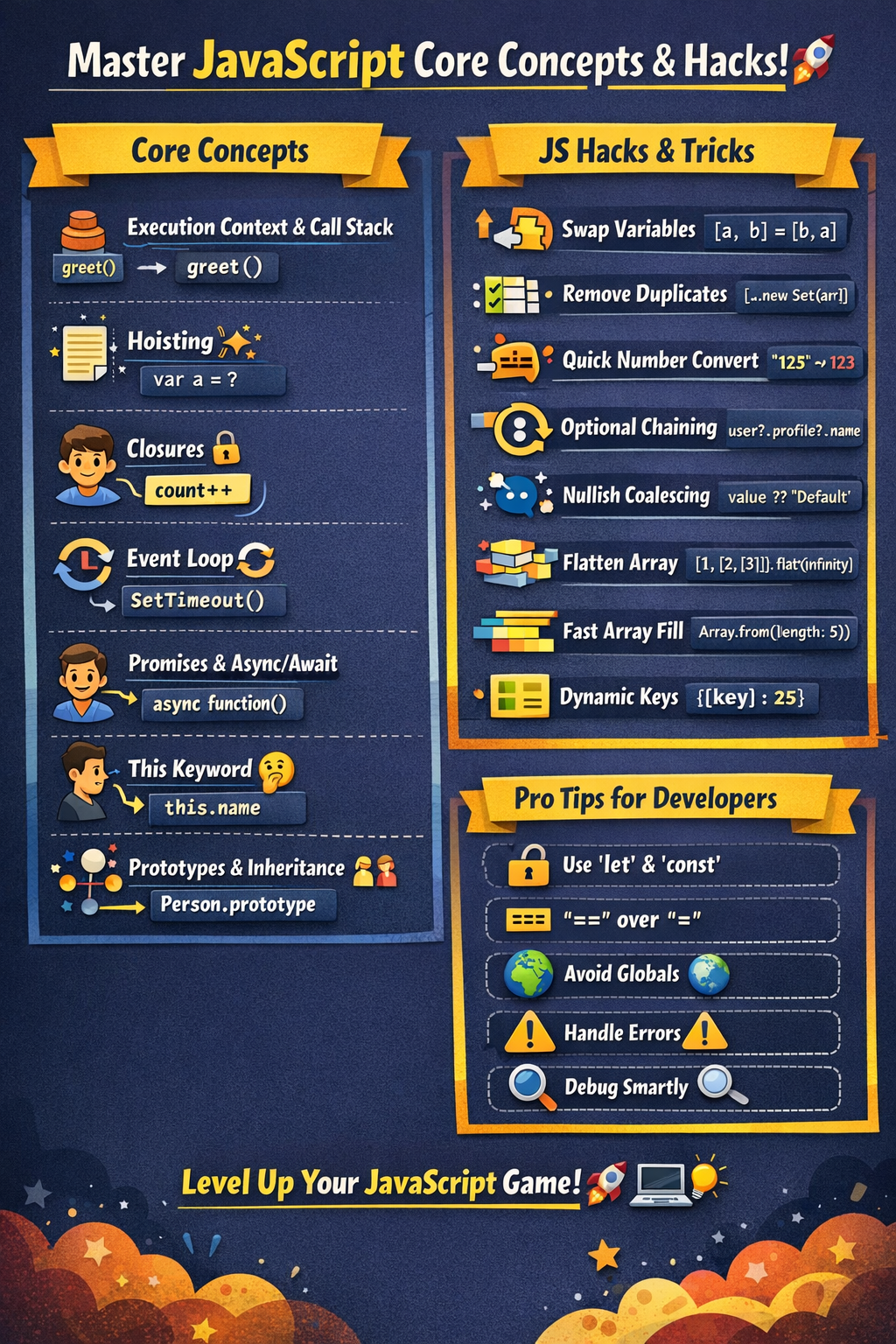
Let’s dive deep into JavaScript fundamentals + surprising tricks that will level up your coding game 🚀
🧠 1. Execution Context & Call Stack
JavaScript runs code inside an Execution Context.
🔹 Types:
- Global Execution Context
- Function Execution Context
🔹 Example:
function greet() {
  console.log("Hello");
}

greet();
👉 Behind the scenes:
- Global context created
greet()pushed to Call Stack- Executes → then removed
💡 Concept Tip:
JavaScript is single-threaded, but uses the call stack to manage execution.
🔄 2. Hoisting (Magic Before Execution)
Variables and functions are moved to the top during compilation.
🔹 Example:
console.log(a); // undefined
var a = 10;
👉 Internally:
var a;
console.log(a);
a = 10;
⚠️ But with let & const:
console.log(b); // ❌ ReferenceError
let b = 20;
💡 This is called the Temporal Dead Zone (TDZ)
🔗 3. Closures (Superpower 🔥)
A closure is when a function remembers its outer scope, even after execution.
🔹 Example:
function outer() {
  let count = 0;

  return function inner() {
    count++;
    console.log(count);
  };
}

const counter = outer();
counter(); // 1
counter(); // 2
💡 Used in:
- Data privacy
- Memoization
- Event handlers
🎯 4. Scope & Lexical Environment
Scope defines where variables are accessible
🔹 Types:
- Global Scope
- Function Scope
- Block Scope (
let,const)
🔹 Example:
function test() {
  let x = 10;
}
console.log(x); // ❌ Error
💡 JavaScript uses Lexical Scoping → scope depends on where variables are written.
⚡ 5. Event Loop (Async Power 💥)
JavaScript handles async tasks using:
- Call Stack
- Web APIs
- Callback Queue
- Event Loop
🔹 Example:
console.log("Start");

setTimeout(() => {
  console.log("Async Task");
}, 0);
console.log("End");
👉 Output:
Start
End
Async Task
💡 Even 0ms delay goes through the event loop
🔁 6. Promises & Async/Await
Modern async handling 🚀
🔹 Promise Example:
const promise = new Promise((resolve, reject) => {
  resolve("Success!");
});

promise.then(res => console.log(res));
🔹 Async/Await:
async function fetchData() {
  const res = await Promise.resolve("Data loaded");
  console.log(res);
}
fetchData();
💡 Cleaner & readable async code
🎭 7. This Keyword (Tricky 😵)
this depends on how a function is called
🔹 Example:
const obj = {
  name: "Lakhveer",
  greet() {
    console.log(this.name);
  }
};

obj.greet(); // Lakhveer
🔹 Arrow Function Trap:
const obj = {
  name: "JS",
  greet: () => {
    console.log(this.name);
  }
};

obj.greet(); // undefined
💡 Arrow functions don’t have their own this
🧩 8. Prototypes & Inheritance
JavaScript uses prototype-based inheritance
🔹 Example:
function Person(name) {
  this.name = name;
}

Person.prototype.sayHi = function () {
  console.log("Hi " + this.name);
};

const p1 = new Person("Rajput");
p1.sayHi();
💡 Every object has a hidden [[Prototype]]
🧠 9. Deep vs Shallow Copy
🔹 Shallow Copy:
const obj1 = { a: 1 };
const obj2 = obj1;

obj2.a = 2;
console.log(obj1.a); // 2 ❗
🔹 Deep Copy:
const obj1 = { a: 1 };
const obj2 = JSON.parse(JSON.stringify(obj1));
💡 Shallow copy shares reference
🎯 10. Debouncing & Throttling (Performance Boost 🚀)
🔹 Debouncing:
Executes after delay
function debounce(fn, delay) {
  let timeout;
  return (...args) => {
    clearTimeout(timeout);
    timeout = setTimeout(() => fn(...args), delay);
  };
}
🔹 Throttling:
Executes at fixed intervals
💡 Used in:
- Search inputs
- Scroll events
🤯 Surprising JavaScript Hacks & Tricks
🔥 1. Swap Variables Without Temp
let a = 5, b = 10;
[a, b] = [b, a];
🔥 2. Remove Duplicates from Array
const arr = [1, 2, 2, 3];
const unique = [...new Set(arr)];
🔥 3. Convert String to Number Fast
let num = +"123"; // 123🔥 4. Short Circuiting Trick
const name = userName || "Guest";🔥 5. Optional Chaining (Safe Access)
const user = {};
console.log(user?.profile?.name);
🔥 6. Nullish Coalescing
let value = null ?? "Default"; // Default🔥 7. Flatten Array
const arr = [1, [2, [3]]];
console.log(arr.flat(Infinity));
🔥 8. Faster Array Creation
Array.from({ length: 5 }, (_, i) => i);🔥 9. Object Property Shorthand
const name = "Rajput";
const obj = { name };
🔥 10. Dynamic Object Keys
const key = "age";
const obj = {
  [key]: 25
};
🚀 Pro Developer Tips
✅ Always prefer let & const over var
✅ Use === instead of ==
✅ Avoid global variables
✅ Use modular code (ES Modules)
✅ Learn debugging tools (Chrome DevTools 🔍)
✅ Write clean, readable code ✨
⚠️ Common Mistakes to Avoid
❌ Misusing this
❌ Ignoring async behavior
❌ Not understanding closures
❌ Overusing global scope
❌ Forgetting error handling in promises
🎯 Final Thoughts
JavaScript is full of hidden gems 💎 and powerful concepts. Once you master these:
👉 You’ll write cleaner, faster, and smarter code
👉 Debugging becomes easier
👉 You stand out as a top-tier developer 🚀
💬 Pro Tip:
“Master the fundamentals, and frameworks will follow you automatically.”


Comments
Post a Comment