🚀 Salesforce Unlocked: The Ultimate Beginner-to-Pro Guide to the World’s #1 CRM Platform
🚀 Salesforce Unlocked: The Ultimate Beginner-to-Pro Guide to the World’s #1 CRM Platform
In today’s digital world, companies don’t just sell products — they build relationships with customers. And the tool that helps millions of companies manage these relationships is Salesforce.
From startups to global giants, organizations use Salesforce to manage sales, marketing, customer support, automation, analytics, and AI-powered insights.
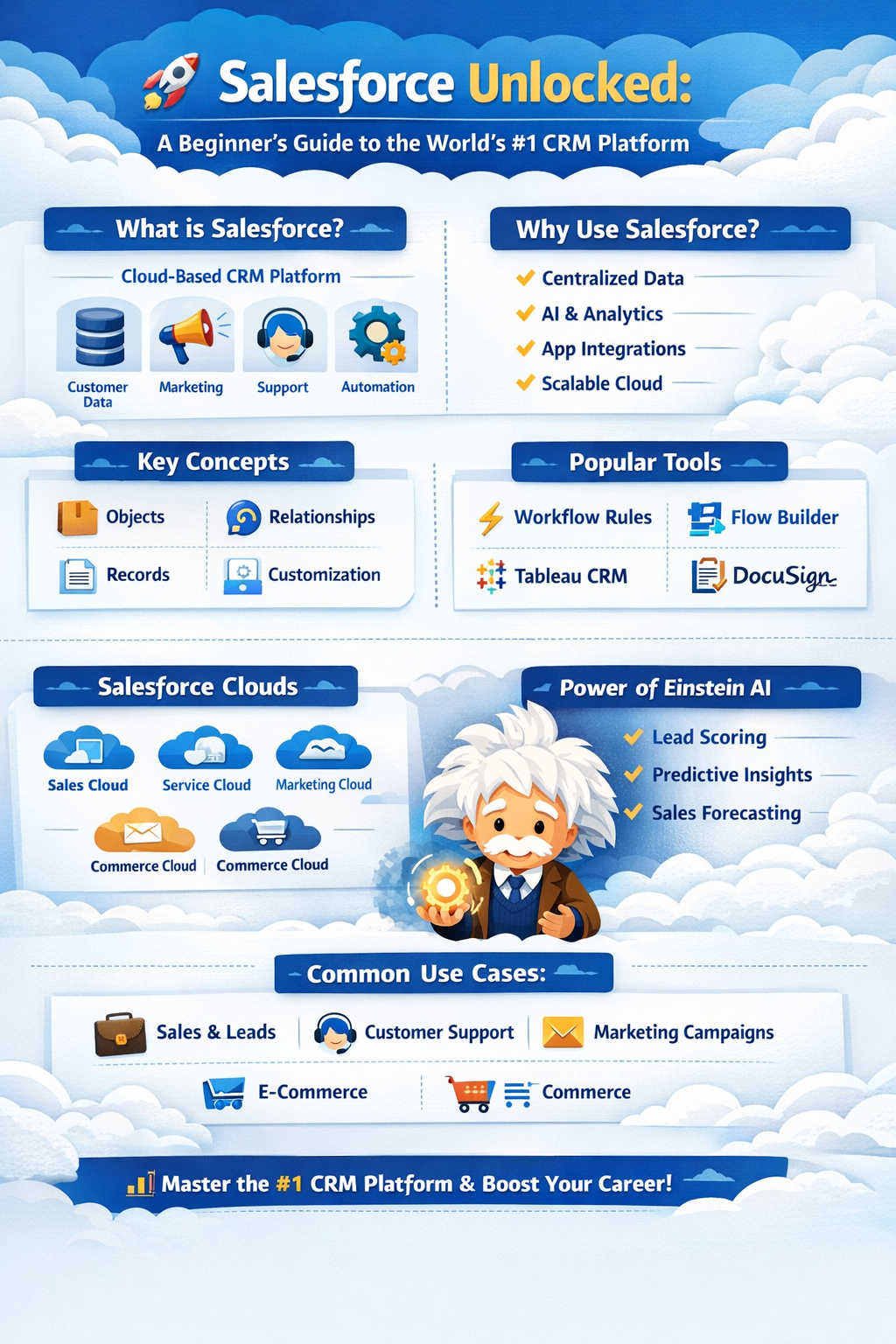
In this blog, we’ll break down Salesforce concepts, terminologies, plugins, architecture, and features with practical examples so you can understand how it works. Let’s dive in! 🔥
🌍 What is Salesforce?
Salesforce is a cloud-based Customer Relationship Management (CRM) platform that helps businesses manage:
- Customer data
- Sales pipelines
- Marketing campaigns
- Customer support
- Business automation
- Data analytics
Instead of installing software on local servers, Salesforce runs entirely in the cloud ☁️.
💡 Example:
Imagine a company selling laptops.
Without Salesforce:
- Customer data in Excel
- Sales leads in emails
- Support tickets scattered
With Salesforce:
- Everything is stored in one central system.
🧠 Why Salesforce is So Powerful
Salesforce provides an all-in-one ecosystem.
Major benefits include:
✨ Centralized customer data
✨ Automation of business processes
✨ Integration with thousands of apps
✨ AI-powered predictions
✨ Scalable cloud infrastructure
Companies like Amazon, Toyota, Spotify, and American Express use Salesforce.
🏗️ Salesforce Architecture Overview
Salesforce follows a Multi-Tenant Cloud Architecture.
This means:
- Many companies use the same platform
- But their data remains isolated and secure
Think of it like apartments in a building 🏢.
Everyone shares the building but each apartment is private.
📚 Core Salesforce Concepts
1️⃣ CRM (Customer Relationship Management)
CRM is the process of managing interactions with customers.
Salesforce helps businesses track:
- Leads
- Opportunities
- Contacts
- Customer support requests
Example workflow:
Lead → Contact → Opportunity → Customer2️⃣ Cloud Computing
Salesforce is a SaaS (Software as a Service) platform.
Meaning:
- No installation required
- Accessible via browser
- Updates automatically
3️⃣ Multitenancy
Multiple organizations share the same infrastructure while keeping their data isolated.
Benefits:
✔ Lower cost
✔ Automatic updates
✔ Scalability
📖 Salesforce Key Terminologies
Understanding Salesforce vocabulary is essential.
📦 Objects
Objects are like database tables.
They store information.
Example objects:
ObjectStoresLeadPotential customersAccountCompaniesContactIndividualsOpportunitySales deals
Example:
Account: Google
Contact: Sundar Pichai
Opportunity: Google Cloud Subscription
📄 Records
A record is a row inside an object.
Example:
Contact Object
Name — Email
John — john@gmail.com
Each row = record
🧾 Fields
Fields store specific data.
Example fields:
- Name
- Phone
- Address
Types of fields:
- Text
- Number
- Picklist
- Date
- Checkbox
🔗 Relationships
Objects can be linked.
Types:
Master-Detail Relationship
Strong connection.
Example:
Account → ContactsIf Account deletes → Contacts delete.
Lookup Relationship
Loose connection.
Example:
Contact → Manager⚙️ Salesforce Customization Concepts
Salesforce allows custom development without coding.
🎯 Custom Objects
Businesses can create custom objects.
Example:
Real Estate Company
Object: Property
Fields: Location, Price, Owner
🧩 Page Layouts
Page layouts control how data appears.
Example:
Contact page shows:
- Name
- Phone
- Company
- Notes
📋 Record Types
Record types allow different layouts for different users.
Example:
Customer types:
- Retail customer
- Enterprise customer
Each can have different fields.
🔄 Salesforce Automation Tools
Salesforce excels at workflow automation.
⚡ Workflow Rules
Automates simple actions.
Example:
If Opportunity > $10,000
→ Send email to manager
⚙️ Process Builder
More advanced automation.
Example:
If Lead status = Qualified
→ Create Opportunity
→ Assign to Sales team
🔁 Flow Builder
The most powerful automation tool.
Example:
Customer purchases product:
Flow automatically:
- Creates order
- Sends invoice
- Updates CRM
💻 Salesforce Development Components
For developers, Salesforce offers powerful tools.
Apex (Salesforce Programming Language)
Apex is similar to Java.
Used for backend logic.
Example:
trigger WelcomeEmail on Contact (after insert) {
    for(Contact c : Trigger.new){
        Messaging.sendEmail(new Messaging.SingleEmailMessage());
    }
}
Lightning Components
Used to build UI components.
Technologies:
- HTML
- JavaScript
- CSS
Example:
Custom dashboard widget.
Visualforce
Older UI framework used for building custom pages.
🧩 Salesforce Plugins & App Ecosystem
Salesforce has a huge App Marketplace called AppExchange.
It provides thousands of plugins.
Popular Salesforce Plugins
📊 Tableau CRM
Advanced analytics and visualization.
Example:
Sales dashboard with predictions.
📧 Mailchimp Integration
Synchronizes marketing campaigns with CRM.
Example:
- Send campaign
- Track leads automatically
🧾 DocuSign
Electronic signature integration.
Example:
Send contract to customer → get digital signature.
📞 CTI (Computer Telephony Integration)
Call customers directly from Salesforce.
Example:
Customer calls support → record automatically opens.
🤖 Salesforce AI (Einstein AI)
Salesforce provides built-in AI called Einstein AI.
Capabilities:
✔ Lead scoring
✔ Sales forecasting
✔ Email recommendations
✔ Customer behavior prediction
Example:
Einstein predicts:
Lead A: 85% chance to convert
Lead B: 20% chance
Sales teams prioritize accordingly.
☁️ Major Salesforce Clouds
Salesforce offers specialized cloud products.
Sales Cloud
Used for managing sales pipelines.
Features:
- Lead tracking
- Opportunity management
- Sales forecasting
Service Cloud
Customer support platform.
Features:
- Ticket management
- Chat support
- Knowledge base
Marketing Cloud
Used for marketing automation.
Features:
- Email campaigns
- Customer journeys
- SMS marketing
Commerce Cloud
E-commerce platform for online stores.
Experience Cloud
Used to build portals for:
- Customers
- Partners
- Communities
📊 Salesforce Reporting & Analytics
Salesforce provides powerful reporting tools.
Types:
📊 Reports
📊 Dashboards
📊 Analytics insights
Example dashboard:
- Monthly sales
- Top performing sales agents
- Lead conversion rate
🔐 Salesforce Security Features
Security is critical.
Salesforce provides:
✔ Role-based access
✔ Field-level security
✔ Two-factor authentication
✔ Data encryption
Example:
Sales Agent → Can view leads
Manager → Can view all reports
Admin → Full access
⚡ Real-World Salesforce Workflow Example
Let’s see how a real business uses Salesforce.
Customer fills website form:
Step 1
Lead created in Salesforce
Step 2
Sales team notified
Step 3
Lead converted into contact
Step 4
Opportunity created
Step 5
Deal closed
Step 6
Customer support managed in Service Cloud
Entire lifecycle happens inside Salesforce.
🚨 Common Salesforce Mistakes to Avoid
❌ Over-customizing the system
❌ Poor data management
❌ Not using automation
❌ Ignoring security rules
❌ Lack of user training
Smart organizations invest in proper CRM strategy.
🧭 When Should Businesses Use Salesforce?
Salesforce is ideal for:
✔ Growing startups
✔ Large enterprises
✔ Sales teams
✔ Customer support teams
✔ Marketing teams
If a company handles large customer data, Salesforce becomes a game-changer.
🏁 Final Thoughts
Salesforce is not just a CRM — it is a complete digital ecosystem for managing business relationships.
It combines:
💡 CRM
⚙ Automation
📊 Analytics
🤖 AI
☁ Cloud computing
Mastering Salesforce can open career opportunities such as:
- Salesforce Developer
- Salesforce Administrator
- CRM Architect
- Salesforce Consultant
And with businesses becoming more customer-centric, Salesforce skills are becoming one of the most valuable tech skills today.
💬 Final Insight
“Companies that win are the ones that know their customers best — and Salesforce helps them do exactly that.”


Comments
Post a Comment