💻✨ Understanding Binary: The Secret Language Powering Every Computer! 🔢⚡
💻✨ Understanding Binary: The Secret Language Powering Every Computer! 🔢⚡
Have you ever wondered how your computer, mobile phone, or even a supercomputer actually “thinks”? 🤔
The answer lies in one of the simplest yet most powerful systems ever created — Binary!
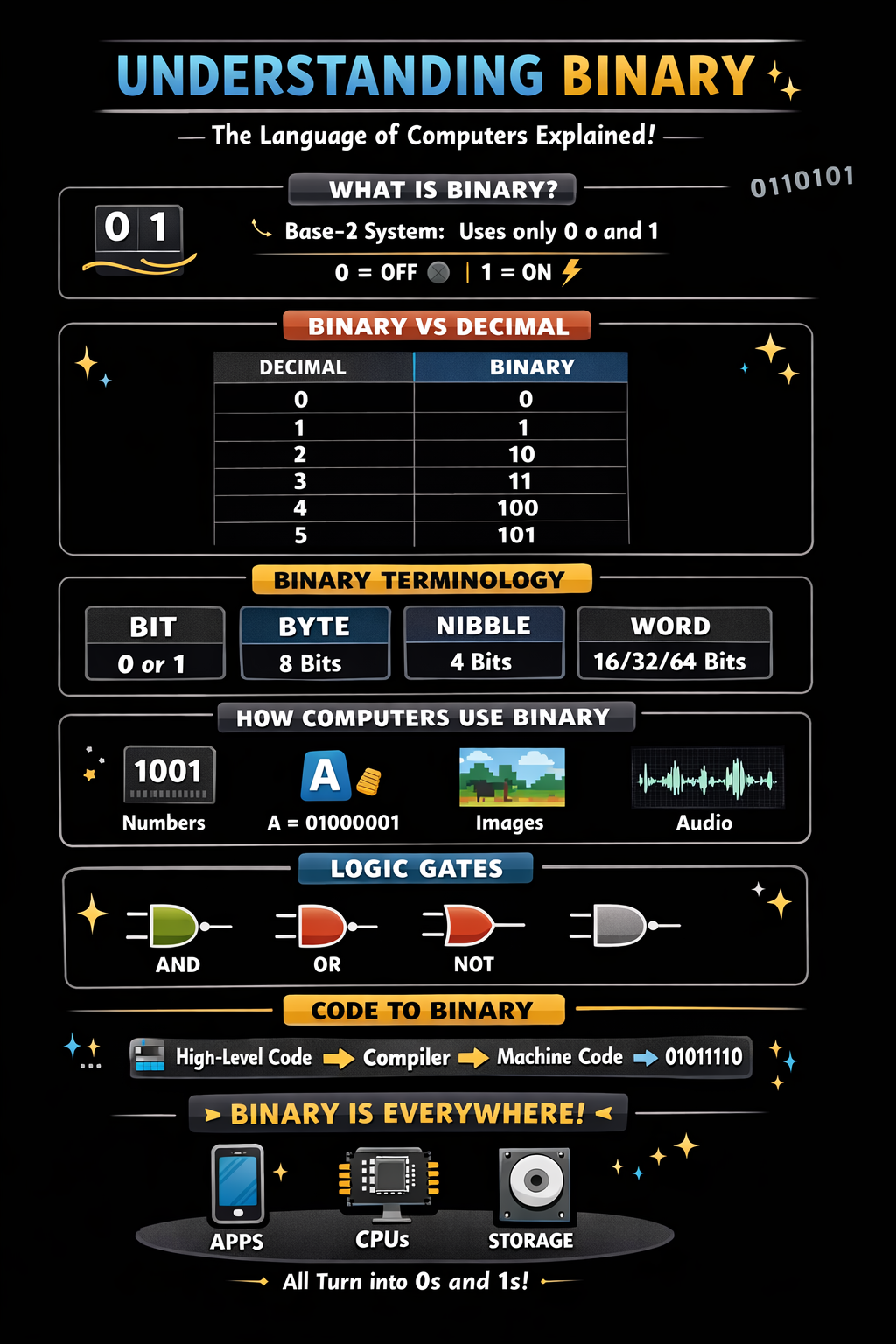
In this blog, we’ll break down everything about binary — from its history 🏛️ to its core concepts ⚙️, and how every programming language eventually becomes binary. Let’s dive in! 🚀
📜 1. The History of Binary
Binary isn’t a modern invention. Its roots go way back!
- The concept was first formalized by Gottfried Wilhelm Leibniz in the 17th century.
- He discovered that all numbers can be represented using just two digits: 0 and 1.
- Inspired by ancient Chinese texts like the I Ching, he realized this system could represent logic itself.
💡 Later, binary became the backbone of computing thanks to:
- George Boole → Boolean Algebra (True/False logic)
- Claude Shannon → Applied binary logic to electrical circuits
🔢 2. What is Binary?
Binary is a base-2 number system, meaning it uses only two digits:
👉 0 and 1
Each digit is called a bit (Binary Digit).
🧠 Why only 0 and 1?
Because computers use electrical signals:
- 0 → OFF ⚫
- 1 → ON ⚡
📊 3. Binary vs Decimal
Decimal (Base-10)Binary (Base-2)001121031141005101
🧩 Example:
Convert 5 (decimal) to binary:
5 ÷ 2 = 2 remainder 1
2 ÷ 2 = 1 remainder 0
1 ÷ 2 = 0 remainder 1
👉 Read bottom to top: 101
🧱 4. Binary Terminology You Must Know
🔹 Bit
- Smallest unit (0 or 1)
🔹 Nibble
- 4 bits → e.g., 1010
🔹 Byte
- 8 bits → e.g., 11001010
🔹 Word
- Group of bytes (depends on system: 16-bit, 32-bit, 64-bit)
🔹 MSB & LSB
- MSB (Most Significant Bit): leftmost
- LSB (Least Significant Bit): rightmost
⚙️ 5. How Computers Use Binary
Everything in a computer is binary:
🧮 Numbers
- Stored in binary form
🔤 Characters
Using encoding systems like:
- ASCII
- Unicode
👉 Example:
- ‘A’ → 65 → 01000001
🖼️ Images
- Pixels represented as binary color values
🎵 Audio
- Sound waves converted into binary data
🔌 6. Binary & Logic Gates (The Brain of Computers)
Computers use logic gates to process binary:
GateOperationAND1 only if both are 1OR1 if at least one is 1NOTReverses value
💡 Example:
1 AND 1 = 1
1 AND 0 = 0
These gates form circuits → CPUs → entire computers 🖥️
💻 7. How Programming Languages Connect to Binary
Here’s the magic ✨
No matter which language you use:
- Ruby 🟥
- Python 🐍
- JavaScript ⚡
- C/C++ 🔵
👉 They ALL convert into binary eventually!
🔄 The Flow:
High-Level Code → Compiler/Interpreter → Machine Code → Binary (0 & 1)🧩 Example:
Ruby Code:
puts "Hello"👉 Internally becomes:
- Intermediate instructions
- Machine code
- Finally: binary signals (0s and 1s) ⚡
🧠 8. Machine Language & Assembly
Before high-level languages:
🔹 Machine Language
- Pure binary instructions
- Example:
10110000 01100001
🔹 Assembly Language
- Human-readable version
- Example:
MOV AL, 61h👉 Converted into binary by an assembler
🧬 9. Binary in Memory & Storage
Everything stored in:
- RAM 🧠
- Hard Disk 💾
- SSD ⚡
Is binary:
👉 Example:
- 1 KB = 1024 bytes
- 1 byte = 8 bits
🚀 10. Why Binary is So Powerful
✅ Simple (only 2 states)
✅ Reliable (less error-prone)
✅ Perfect for electronic systems
✅ Scalable for complex computations
🌍 11. Real-World Example
When you click a button:
- Input detected 🖱️
- Converted to binary ⚡
- Processed by CPU 🧠
- Output displayed 🖥️
👉 All happening in milliseconds!
🧠 Final Thoughts
Binary is the invisible foundation of everything in technology 💡
From your:
- Mobile apps 📱
- Websites 🌐
- AI systems 🤖
👉 Everything runs on 0s and 1s
🎯 Key Takeaways
✨ Binary = Language of computers
✨ Everything converts into 0 & 1
✨ Programming languages are just abstractions
✨ Logic + Binary = Computing power
💬 Closing Line
👉 “Behind every beautiful app, powerful system, or smart AI — there’s a silent conversation happening in 0s and 1s.” 🔢⚡


Comments
Post a Comment